Contents
- Key takeaways
- Ten criteria, side by side
- 1. Can a marketer add a page alone
- 2. What a year costs, frontend included
- 3. Our own measurement of ten live sites
- 4. The figure of 7,966, and what it counts
- 5. Where a migration takes the traffic
- 6. Who keeps the site running in two years
- 7. What happens when the vendor is sold
- 8. When a headless CMS is the right answer
- How to decide: five questions, with a company for each
- Method and limitations
- Find out which one fits your company
- Frequently asked questions
A headless CMS gives the marketing team freedom inside the library of blocks a developer wrote first, and stops at its edge. WordPress ships that library in the core for $0, and you pay for hosting. We compare the two on ten criteria, price a year including the frontend, measure ten live B2B SaaS sites and show where a migration takes the traffic.
Verdict
Choose WordPress when the site is pages the marketing team assembles itself and new types of section come up often. Choose a headless CMS when the same content feeds a website, an application and a store at once, or when the website is the product and developers are already on the team. If you want a visual page builder with a headless CMS, budget for the setup and for the price to grow.
Headless CMS
Best for
Content that feeds several channels at once: a website, a mobile application, a store, a partner portal. A company whose website is the product and which already keeps developers. A team that publishes in five languages and needs editorial roles and approval workflows.
Not for
A company site of twenty to fifty pages that the marketing team changes weekly, with no developer on staff. A project where nobody has budgeted the frontend, the CDN and the person who keeps them running.
WordPress
Best for
A marketing site whose pages are assembled by the people who write them. A content archive with roles, taxonomies and years of articles. A company that wants redirects, sitemaps and structured data available in the browser for free.
Not for
Nobody will own updates, backups and plugin security. The same content has to appear in an application and a store with the site. The design must stay exactly as drawn for years, whoever edits the pages.
The proposal usually comes from the development team: let us put the website on Sanity or Contentful, the current CMS is holding us back. The marketing lead has one question in reply, and it decides everything: can I add a page myself? According to W3Techs, WordPress runs 40.2% of all websites and 58.8% of sites with a known CMS. No headless CMS reaches 0.1% there, and that number needs care: a census of browsers cannot see a headless CMS at all, which is precisely why every figure about its spread comes from a vendor.
This page is for a marketing or product lead in a company that has developers and is being offered a headless CMS for the company website. We have built on both sides. Below are ten criteria in one table, then eight sections with the numbers and their sources: who assembles a page, what a year costs including the frontend, our own measurement of ten live sites, what the figure of 7,966 vulnerabilities actually counts, where a migration takes the traffic, who keeps the site running in two years, what happens when the vendor is sold, and when a headless CMS is the right answer.
Key takeaways
- Freedom is measured by the library of blocks. Every vendor promises that the marketing team will rearrange and fill the blocks a developer built. None promises a new type of section. Contentful writes this itself in the FAQ of its own pricing page.
- The CMS licence is the smallest line in the budget. Sanity costs $15 a seat, and the average Contentful contract runs $53,352 a year across 119 deals. Next to both stands the median front-end salary of $62,015 a year worldwide.
- The migration takes the traffic. Server rendering is the default in Next.js, and Google recommends it. Rankings fall when the sitemap shrinks from 4,800 addresses to 600 and the redirects are not carried over.
Ten criteria, side by side
Prices and plan limits are from the vendors' own pages on 22 September 2026: Sanity, Strapi, Contentful, Storyblok, Hygraph, Directus, and Kinsta with WP Engine for hosting. Vulnerabilities come from Patchstack's report on 2024 and from our own count in the NVD by vendor and product. Speed and the words without JavaScript are our measurement of ten live sites the same day; the raw data is a CSV file. Where we stand: Figmatica builds on WordPress, on builders and in code with a headless CMS, and runs its own site in code. We earn from the project either way, and we say the same thing in first meetings.
| Criterion | Headless CMS | WordPress |
|---|---|---|
| Who assembles a page | The marketer rearranges blocks a developer wrote | The marketer assembles a page from the blocks and patterns in the core |
| The editing layer | This is the product: $15 a seat (Sanity), $99 a month (Storyblok), $300 a month (Contentful Lite) | Ships in the core, $0 |
| Hosting | The frontend is separate and extra: Vercel, Netlify or your own server | Managed hosting from $28 to $35 a month, everything included |
| A second language | Contentful, Hygraph and Storyblok stop at two locales on the free plan; in Storyblok each further one is $20 a month | A free plugin |
| Visual page builder | Storyblok yes, after a developer sets it up; Contentful Studio only on Enterprise, price on request | In the core since version 6.3 |
| Sitemap and redirects | Files in the repository; a redirect needs a deploy, and Vercel caps them at 1,024 | Sitemap in the core; a redirect manager free in the browser |
| Vulnerabilities published in 2024 | 0 for Contentful, Sanity and Storyblok, 4 for Strapi, 18 for Directus | 7,966 across the ecosystem: 96% in plugins, 4% in themes, 7 in the core |
| Main thread blocked, our median | 4,634 ms | 831 ms |
| Text without JavaScript, our median | 945 words | 1,311 words |
| Hiring in Ukraine | 13 vacancies name a real headless CMS | 112 vacancies |
1. Can a marketer add a page alone
Read four vendors' own wording one after another and the same sentence appears. Sanity: the presentation tool supports page building "with predefined design components". Contentful: experiences are composed "using predefined components built by Contentful or your development team". Strapi divides the labour openly on the page for its dynamic zones: "Developers can create modular content blocks like text sections, image galleries, and CTAs", and then "Content managers can reorder sections dynamically in the Strapi admin panel, making layout adjustments instantly without developer intervention". Storyblok's visual editor needs a preview URL and an `_editable` property on every block before an editor sees anything at all.
The clearest admission belongs to the vendor with the largest marketing budget. Contentful sells Studio to marketing teams with the line "without waiting on dev support". In the FAQ of its own pricing page, three screens below, it writes the opposite in plain words.
For products like Studio and Personalization, however, some initial development is typically required to integrate with your front end and tailor the experience to your stack.
Studio is also absent from both the free plan and from Lite at $300 a month: it is listed only on Enterprise, where the price is "Contact sales". So the product sold as a way to stop waiting for a developer starts with a developer, and is available on the tier with no published price.
Storyblok is the honest counterexample, and that belongs here as clearly as the criticism does. Once a developer has wired the bridge, an editor works alone: the manual says editors "can add, delete, and rearrange these blocks to compose content". The sharpest description of what that feels like comes from a marketer who likes the product. In one and the same review a CRO manager writes that Storyblok "made it possible for us to have these capabilities as marketers without needing excessive access to the code", and then this.
Because all blocks are created by developers, it means we're restricted severely by what was loaded. In our case, it meant that things like an HTML block (to add widgets) or even removing excessive white space was impossible to do.
Both halves of that review are true at once, and together they are the whole answer to the question in the headline. The marketing team is free inside the library and blocked outside it. So ask a vendor a different question: who pays for each new type of section, and how long it takes.
On the other side, that library ships with the product. The site editor is part of WordPress: "The Site editor allows you to design the entire site including the header, footer, and everything in between, with blocks", and since version 6.3 pages are created there too. It needs a block theme, which is a choice of theme rather than a programmer's week. Block patterns come with the core. The honest caveat is that this only holds while somebody keeps the site tidy: in an installation that has collected plugins for years a non-technical person gets lost just as thoroughly, which is the fair version of the argument on this page.
2. What a year costs, frontend included
The list price is the part everyone compares, and it is the part that matters least. Here it is anyway, with the line that usually appears after the contract is signed.
| Product | First paid plan | What is not included |
|---|---|---|
| Sanity | $15 per seat a month | Larger quotas $299 a month, support by a human $799 a month, an extra dataset $999 a month |
| Strapi | $45 a month, three seats | Single sign-on $150 a month, which is more than the plan; you host it yourself |
| Storyblok | $99 a month, five seats | Every language beyond the second $20 a month; the uptime promise is 97% |
| Hygraph | $199 a month, ten seats | The price of an extra seat is not published |
| Contentful | $300 a month, twenty users | A second space $850 a month; Studio only on Enterprise at a price on request |
| Directus | $499 a month, ten single sign-on seats | Every further seat $50 a month; their cloud $99 a month; free for companies under $5M revenue and 50 people |
| WordPress | $0, the editing layer is in the core | Managed hosting from $28 to $35 a month, and the hours of whoever maintains it |
Now the part that decides the budget. Vendr, which negotiates software purchases, publishes an average Contentful contract of $53,352 a year across 119 deals, in a range from $24,050 to $128,183. An agency that partners with headless vendors estimates total cost of ownership at 40 to 60 per cent above list price, growing about 30 per cent year over year. And the frontend has its own bill: Cursor published $56,848 of CDN spend for a year before its migration.
Against all of that stands one line that is larger than the rest together. In Stack Overflow's survey, where 23,928 people answered the pay question, the median front-end developer earns $62,015 a year worldwide and $145,000 in the United States. One developer in the US costs more in a month than Contentful Lite costs in a year. If your company already keeps developers, the CMS licence decides nothing. The hours your developers spend on the website decide everything. Clutch adds a detail worth knowing: in its rate data React and WordPress work sit in the same bracket of $25 to $49 an hour, so the code carries no price premium by itself.
In Ukraine the gap is visible in published price lists. A corporate site on WordPress starts at 20,000 hryvnia; a corporate site on Next.js with Payload or Sanity is quoted at 36,500 to 143,500 hryvnia, three to eight weeks, with every extra language adding ten per cent. Both studios that sell headless defend the difference with three-year cost of ownership rather than with the launch price, which is the honest argument and also the one you should ask them to put in numbers.
3. Our own measurement of ten live sites
Comparisons of this kind usually fail on the sample: big international SaaS on one side, local companies on the other, and what gets compared is company size. So we took ten marketing sites of B2B SaaS companies of one kind, five per side, none of them a CMS vendor, and identified the platform from markers in the page source before measuring anything. Five on headless: Figma and Intercom on Sanity, Hotjar and Dialpad on Contentful, Aircall on Storyblok. Five on WordPress: Talkdesk, LivePerson, PagerDuty, Phrase and Userlike. Lighthouse 13.5, mobile emulation, three runs each, medians in the table.
| Median | Headless | WordPress |
|---|---|---|
| Page weight | 5.11 MB | 3.60 MB |
| Requests | 182 | 111 |
| Main thread blocked | 4,634 ms | 831 ms |
| Layout shift | 0.000 | 0.055 |
| Observed largest paint | 1.8 s | 2.3 s |
| Words without JavaScript | 945 | 1,311 |
Two results are worth arguing with. Sites on a headless CMS block the main thread 5.6 times longer, and four of the five exceed 4.4 seconds. That comes from the React frontend that ships with the architecture. And they expose less text without JavaScript than the WordPress sites, 945 words against 1,311, which works against them when an assistant reads the page rather than a browser. WordPress loses on layout stability, 0.055 against 0.000.
The caveat that has to come with these numbers: inside the WordPress group the spread is larger than the difference between the groups. One site weighs 16.65 MB and another 0.84 MB. The team decides more than the platform, which is the same result we got on our own migration. For the decision on this page that means one thing: speed does not settle it, because both platforms produce fast sites and slow ones. Field data points the same way: on the HTTP Archive report for August 2026, Sanity and Storyblok pass Core Web Vitals on mobile at 51.4% and 51.3% against 48.7% for WordPress, a gap of some 2.6 points, while Contentful sits at 37.9% and loses to WordPress outright. The samples are not comparable: 2.75 million origins for WordPress against four to ten thousand for each headless CMS, so the headless sample is dominated by sites built by professional teams.
4. The figure of 7,966, and what it counts
Security is the strongest argument for a headless CMS, and it is also the one most often quoted wrongly. Patchstack counted 7,966 new vulnerabilities in the WordPress ecosystem in 2024, about 22 a day. Three lines further down the same report says where they were: "96% of the vulnerabilities were uncovered in plugins, and 4% were found in themes. Only seven vulnerabilities were uncovered in WordPress core itself."
We counted the other side ourselves, in the NVD by vendor and product rather than by keyword, because a keyword search returns noise: "Sanity" brings back 66 Linux kernel entries with the words "sanity check" in the description, and "Payload CMS" brings back network packets. The verified counts for 2024 are below; the raw data is a CSV file.
| Product | Published in 2024 | How it is hosted |
|---|---|---|
| WordPress core | 7 by Patchstack, 4 by our count in the NVD | Open source, on your server |
| Strapi | 4 | Open source, on your server |
| Directus | 18 | Open source, on your server |
| Payload | 0 | Open source, on your server |
| Contentful, Sanity, Storyblok, Hygraph | 0 | Closed hosted service |
Three things have to go with that table, and without them it misleads. A zero for a hosted service means the vendor patches its own server and publishes nothing, so the count shows a disclosure policy. It does not show safety: open code raises the number in the NVD without lowering the security. The figure of 7,966 counts an ecosystem of tens of thousands of third-party plugins, and the same report puts 69.6% of them at low priority, with the closest estimate for an ordinary company site being 1,018 vulnerabilities in components with over 100,000 installs, of which 153 scored high or medium. And a headless frontend carries its own attack surface that a search by the name of a CMS never sees: npm dependencies, API tokens in environment variables, the hosting itself.
Compared honestly, core against core, each side has a handful of vulnerabilities. The real difference is operational: a WordPress site accumulates plugins, and 1,614 plugins and themes were pulled from the repository in 2024 for unpatched issues. Whoever runs the site has to notice.
5. Where a migration takes the traffic
First the fear that should be removed rather than sold. A site built on a headless CMS does not lose search traffic because of its architecture. Server rendering is the default in the Next.js App Router, and Google's own documentation recommends it: "server-side or pre-rendering is still a great idea because it makes your website faster for users and crawlers, and not all bots can run JavaScript". There is no published figure for a rendering delay anywhere in that documentation, so anyone quoting one is quoting a conference slide.
The losses happen in the sitemap, the redirects and the metadata. In a headless setup the sitemap is a file in the repository that a developer writes; titles, descriptions and canonical addresses are code in each route; structured data is a script tag; and a redirect means changing the config and deploying. Next.js says so directly: beyond roughly a thousand redirects you are told to build your own service with a database, and on Vercel the config allows at most 1,024. After any redesign of an old site there are usually more than a thousand.
The vendors agree. Sanity's own guide to headless SEO names what you give up: "We have gotten used to working with tools such as Yoast", and then "You'll have to request every meta tag you want on your site." Storyblok's FAQ hands the responsibility over in one line: "your team is responsible for a fast and performant website". On WordPress the same list is a browser tab: Rank Math at four million installs gives a redirect manager, a sitemap, more than sixteen schema types and a 404 monitor for free, Yoast at ten million does the meta tags and canonicals, and a bare WordPress has had a sitemap in the core since version 5.5.
What that costs when it goes wrong is documented. A German agency that moved its own site to Strapi with Nuxt wrote that "die Klicks brachen um über 90 Prozent ein", the clicks fell by more than ninety per cent, because the content appeared only after client-side hydration and the crawler kept getting an empty page. An agency that does headless migrations for a living reports a case where "The new sitemap had 600 URLs, the old one had 4,800. Google noticed before anyone on the team did." A migration the other way is documented too: after a move from Contentful to WordPress, one B2B SaaS company cut publishing from 90 minutes an article to 10 and gained 20 per cent organic traffic without changing the content, in a case study written by the agency that ran the migration.
The fair conclusion belongs to the agency that sells headless migrations, because it argues against its own interest: ranking drops happen when a migration mishandles redirects, URL mapping or metadata, and that can happen with any CMS change. What breaks is the handover of responsibility for the sitemap, the redirects and the metadata.
6. Who keeps the site running in two years
This part was not in our brief and came up on its own, in enough independent accounts to belong on the page. A developer who worked on a Contentful and Gatsby site described publishing "one or two articles a week" as requiring "constant developer oversight", with builds breaking regularly. Someone who says they work at a headless CMS company put the structural version of it: a couple of years later the developer moves on, "and the client has no way to update their site with new features or sections, and no way to fix it if anything breaks". The German agency above wrote that its stack was fully understood by exactly one person on the team.
In Ukraine this turns into a hiring number. We ran a full-text search over 6,602 vacancies on Djinni on 22 September: 112 name WordPress and 13 name a genuine headless CMS, a ratio of about nine to one. If your developers leave, a replacement for WordPress is about ten times easier to find. A senior engineer put the same thought on a Ukrainian forum from the other direction, in words we translate here: "WordPress is rather not for developers, but for normal people who decided to launch a site without developers taking part in the process."
There is more than one practical answer to that. The stack can be held by a developer on staff, by a contractor on retainer, or by both, and the question to put to each of them is the same: how long does it take from a request to a change on the live site. We work as a contractor on retainer ourselves, so our interest here is plain.
The guys over-delivered and addressed our request changes promptly, resulting in a smooth engagement.
7. What happens when the vendor is sold
A CMS is a three to five year decision, so the vendor's own future is part of the comparison. Payload joined Figma in June 2025. Today its pricing page returns a 404, and the cloud page says new projects are paused and answers the question "Will I need to migrate my project?" with "Yes, eventually." The word "eventually" is doing all the work in that sentence.
Salesforce announced an agreement to acquire Contentful on 1 June 2026; the terms were not disclosed and the pricing consequences are not yet known, so treat it as an open risk rather than a fact. Contentful had already renamed its top tier and added the $850 line for a second space between April and September 2026. Storyblok customers describe on Trustpilot a change of terms with "a price hike of up to 800% ... within a 2 months notice" after unlimited languages became two. WordPress cannot do any of this to you, because it is released under a licence that lets you keep the copy you have. For the argument of this page that is one more party paying for your library of blocks: your developer holds it, and so does a company you never chose.
8. When a headless CMS is the right answer
Everything above argues one way, so here is the other, stated as strongly as it deserves. When the same content has to appear in a website, a mobile application and a store at once, a headless CMS is the only design that does not duplicate the work. When the website is the product, the economics change entirely: Morning Brew runs a content platform for 13 brands with six engineers. And when a developer has set up Storyblok or Builder, the marketing team genuinely works alone inside the library, and a case study published by the vendor puts a page at 15 minutes instead of 45.
What you cannot rely on is the survey data. There is no vendor-neutral study of headless adoption with a disclosed sample size. Storyblok's own survey of 300 leaders concludes that headless closes the gap between marketing and development. Webflow's survey of 1,000 concludes that headless widens the same gap: "This number jumps to 100% for teams working with headless CMSs." Two surveys a year apart, the same question, opposite answers, and each one paid for by a company that sells one of the two answers. Webflow's earlier report, of 500 marketing leaders, also shows 95% feeling restricted on a traditional CMS, 94% on headless and 94% on a builder, which is the honest version of its own headline. The one series with published methodology, the Jamstack survey of 6,544 people, measured headless WordPress at 21.57% in 2021 and 22% in 2022, and then stopped in 2023.
The oldest statement of the problem is still the most accurate, and it is six years old. A developer wrote that Contentful "does not allow a product team or a marketing team to manage the design/layout of new pages. Basically I would still need an engineer to implement the structure of the page". Nothing in the sources we gathered has refuted it since.
How to decide: five questions, with a company for each
- 1. How often does a new type of section come up? Every month: WordPress. A B2B company that runs campaigns and needs a new page layout for each one pays a developer for every one of them in a headless setup.
- 2. Does the same content have to live in more than one place? Yes: headless. A company with a website, a mobile application and a partner portal saves the duplication, and that saving is the whole point of the architecture.
- 3. Are there developers on the team already, and will they stay? Yes to both: headless is affordable, the licence is noise next to the salaries. One developer, hired for the site: WordPress, because the site outlives the person in most cases.
- 4. How many languages, now and in three years? Two: either, though the free plans of Contentful, Hygraph and Storyblok stop exactly there. Five or more: price it before choosing, because in Storyblok each language past the second is $20 a month and Contentful Lite allows no more than three.
- 5. Who will write the sitemap and the redirects after the move? If the answer is a name: fine, plan the work. If there is no name: WordPress, where those things come with the product and the marketing team opens them in a browser.
Sites we designed and built, and what clients say about the work on Clutch.


Method and limitations
Prices and plan limits are from the vendors' public pages on 22 September 2026 and will change; the page shows its date and we will update it. Contentful answers automated requests with a security checkpoint, so its numbers were read in a browser on the same day. For speed we ran Lighthouse 13.5 with mobile emulation, three runs per site, and report medians; ten sites show a direction rather than a proof, and the spread inside the WordPress group is larger than the difference between the groups. We counted the vulnerabilities ourselves, in the NVD by vendor and product, and read every description; and the ecosystem figure is Patchstack's; the two methods are not comparable, which is why both are labelled. We did not price the hours of building a headless frontend, because no source with a disclosed sample exists: published ranges for the same work run from $1,200 to $500,000. If a number here is wrong or out of date, write to hello@figmatica.com and we will rerun the check the same day.
Find out which one fits your company
If your developers have proposed a headless CMS, ask them for two numbers before deciding: how many types of section the library will have at launch, and how long a new one takes. Those two answers predict the next three years better than any comparison table. Book a call: before the meeting we measure your current site and bring a recommendation with the cost of both routes. If a move is needed, we bring a plan for moving without losing traffic with it.
Websites and products we shipped
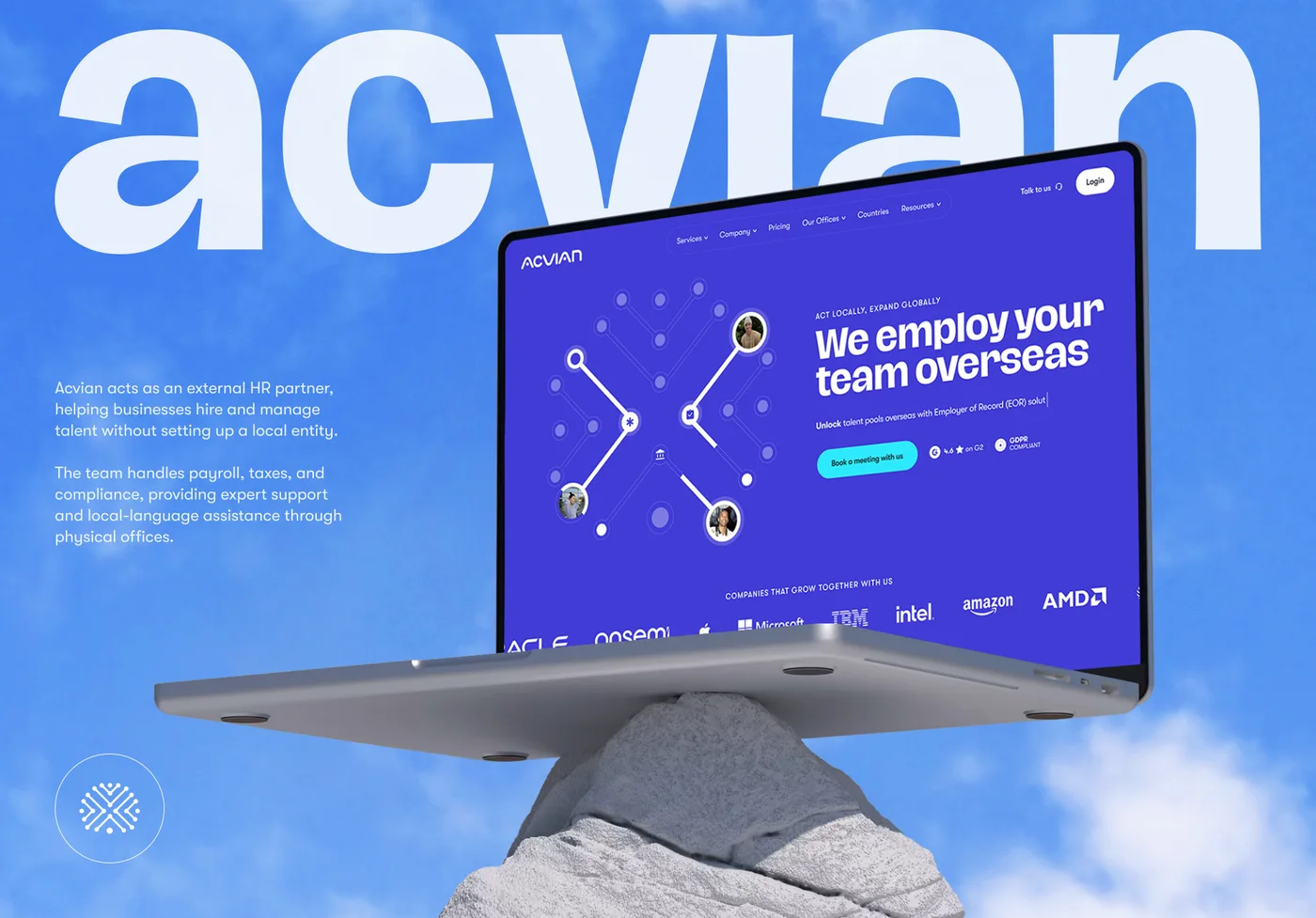 Acvian30+ pages in 60 days: a new Webflow site for a global HR partner
 CheckMyRate2 months from research to launch: a Webflow site for an Australian mortgage broker
 BloxFi80+ country pages from one template: how a fintech API went global
Want the same for your site? 30 minutes, free.
Book a free call ↗