Contents
- A 3D configurator by Figmatica: one gear reducer, four stages of the sale
- The short version
- Why now
- What is three.js, for a marketer
- What is CPQ, and what makes it visual
- The manufacturing sales cycle: where 3D works
- Awareness: the site as a showroom
- Selection and RFQ: fewer "will it fit" emails
- The quote: a price you see before signing up
- Production: the same model on the assembly line
- Partners and dealers: a configurator they can use too
- After the purchase: a spare part in one click
- Your type of production decides what goes on the site
- Six levels of 3D on a manufacturer's site
- How it works at SendCutSend: from the home page to the price
- Other ideas worth taking
- What the boldest 3D product sites do
- From SolidWorks to the site: the pipeline for your engineers
- Where to start
- 3D on a manufacturer's site: checklist
- Frequently asked questions
What three.js and a visual CPQ are, how one 3D model works across a manufacturer's sale, from the first visit and the RFQ to the assembly line, dealers and spare parts, which configurator fits MTS, ATO, CTO and ETO, SendCutSend walked from the home page to the cart, and the pipeline from SolidWorks to your site.
Tuesday, the purchasing office of a partner plant. An engineer has a 40-page PDF from a supplier: drawings, dimension tables, a photo of the part on a white background. To find out whether the gear reducer fits his frame, he writes to the account manager. The manager forwards the question to a design engineer. The answer comes on Thursday, the quote on Monday.
In another tab is another manufacturer's site. There the same kind of reducer turns under the mouse, comes apart into its parts, takes a flange for his motor and a finish, and the batch price updates at once. The engineer saves the link and sends it to his boss. The email to the first supplier stays a draft.
This page is for marketers at manufacturing companies: what three.js is, how a 3D model on your site works at every stage of the sale, from the first visit to a spare-part order, and where to start if your engineers already have CAD models.
A 3D configurator by Figmatica: one gear reducer, four stages of the sale
We start with our own build. We modelled a single-stage gear reducer the way a plant's engineer would: 17 parts, from the cast housing to the bearings, the oil seals and eight flange bolts. We exported it to STEP, the file every CAD system opens, converted it for the web and shrank it from 4.5 MB to 0.7 MB. Then we put one file behind four screens, one for each stage where a buyer has a different question.
The quote screen changes the finish of the housing, from raw cast iron to anodised blue or powder coat, and the model repaints as the price moves. A quantity slider applies volume breaks, and the total sits next to the model. In production the prices come from your price list or ERP.
The assembly screen is the same file on a tablet by the line: the reducer builds up part by part in the order of the bill of materials, and the current part lights up with its name and number. The spare-parts screen searches by name or part number, highlights the part inside the assembly, shows its material and price and adds it to a request.
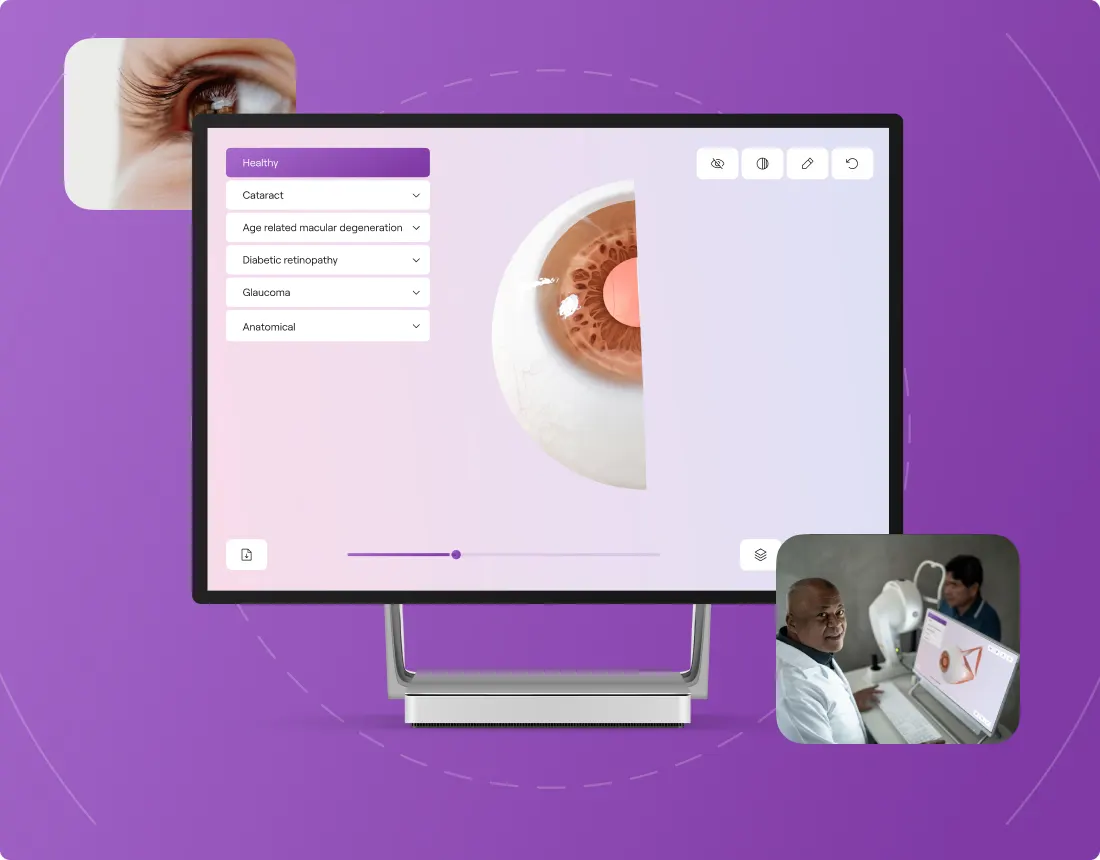
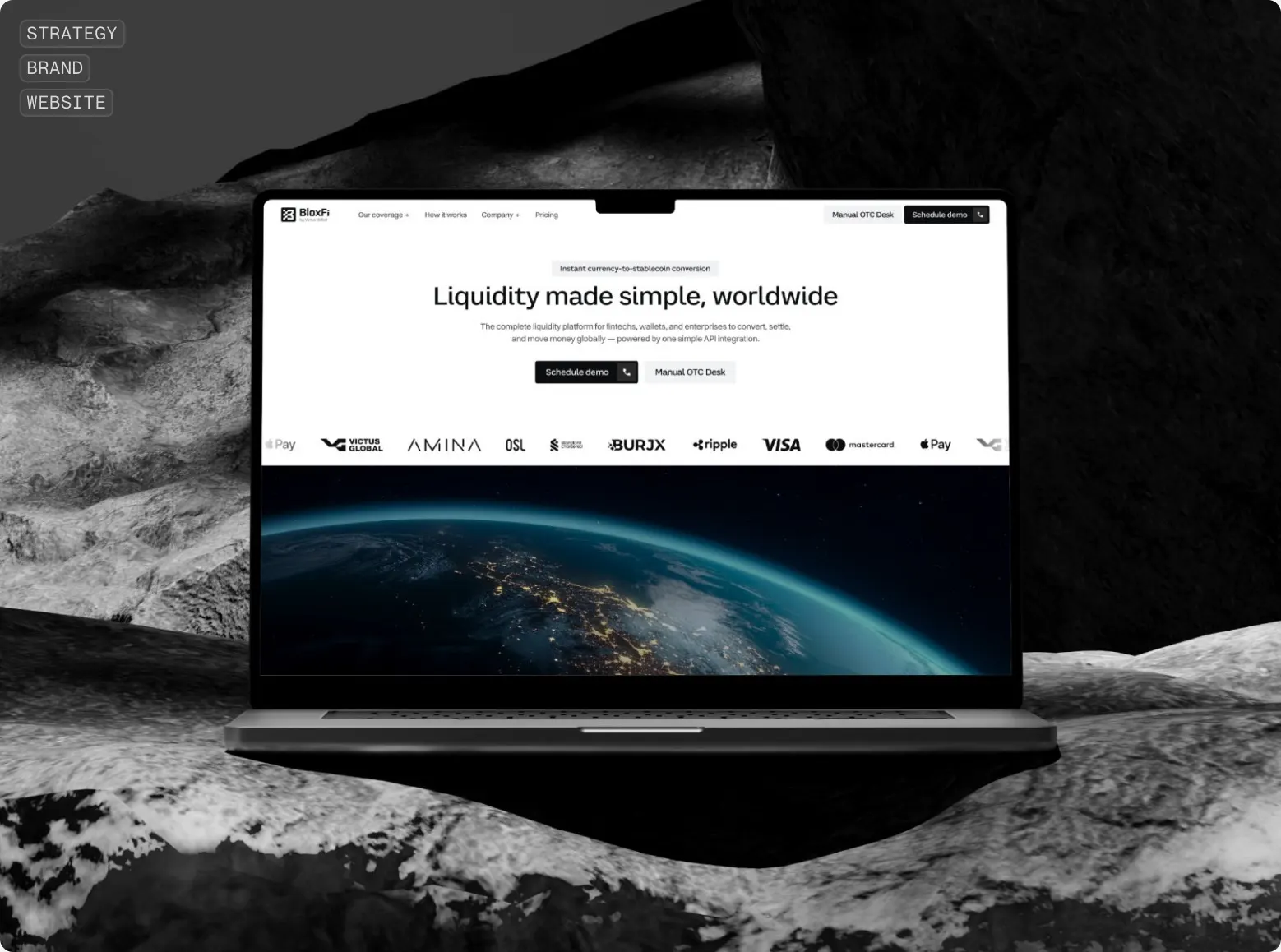
The same approach is live on a client's site. For One Right Eye, an eye-care startup, the whole story of the product is told with one 3D eye that turns as you scroll. We also built BloxFi's site, where every feature of a fintech API is shown by one short animation.
Get a 3D offer
Send us the STEP file of one product, and within two working days we will show it in 3D.
STEP, IGES, STL or a ZIP, one product. Free. Your file stays under NDA and is never published.
The short version
- 3D on a website is now normal. three.js, the library behind 3D in the browser, is downloaded 61 million times a month, six times more than a year ago, and runs on about 220,000 live sites, among them Stripe, ChatGPT, Walmart and Webflow.
- Buyers want to work it out themselves. 67% of B2B buyers prefer to buy without a sales rep. Engineers rank a product configurator among the most valuable online tools in 44% of cases, 3D graphics in 30%, a chatbot in 9%.
- Heavy equipment is still showing photos. Of ten well-known configurators we checked, real 3D lives at furniture makers and Toyota's forklifts. Caterpillar, John Deere, Bobcat, Scania and Trek swap pictures. That is a window.
- One model works at six stages. Awareness, selection and RFQ, the quote, the assembly line, dealers, spare parts.
- Your type of production decides what goes on the site. A catalogue viewer, an options configurator, or a drawing upload with an instant price.
- You already have the CAD models. The way from SolidWorks to the site is conversion and compression, not new 3D modelling.
Why now
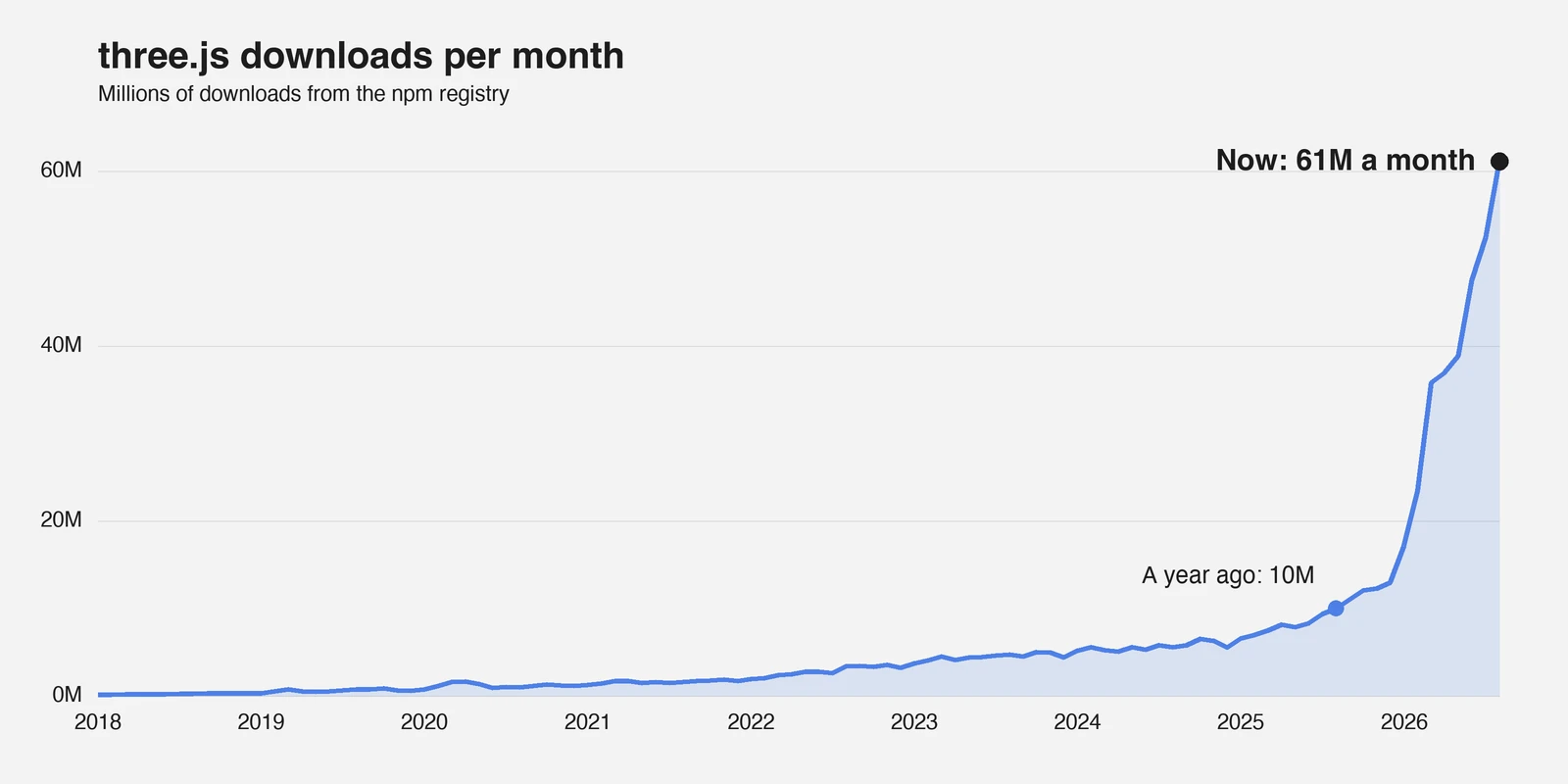
A year ago three.js was downloaded 10 million times a month. Now it is 61 million. In 2016, the first year npm published download counts, it had 0.34 million. Downloads count every build and every test, and the whole npm registry grew this year too: React, the most popular interface library, by 3.7 times. three.js grew 6.1 times, noticeably faster. Part of that likely comes from AI assistants, which reach for three.js whenever someone asks them for something in 3D.
About 220,000 live sites run on three.js, including Stripe, ChatGPT, Walmart, Webflow and Roblox. Its nearest rival, Babylon.js, is on 870. 3D in the browser has become an ordinary tool, and it has one standard.
The second change is in the buyer. In a Gartner survey of 646 B2B buyers, 67% prefer to buy without a sales rep. Technical buyers get through about 60% of the process online before they contact a supplier, according to a survey of more than 1,000 engineers by GlobalSpec. In the same survey, 44% named a product configurator among the most valuable online tools, 30% interactive 2D and 3D graphics, 9% a chatbot. The engineer wants to check the fit himself, before he talks to anyone. And by 6sense's numbers, the vendor a buyer contacts first wins about 80% of deals, so while you wait for an email, the decision is being made.
The third change, in our view, matters most. Custom fabrication is getting cheaper. Stratasys launched its Dimension 3D printer at $29,900, about half the price of anything else on the market. Today a desktop Shapeoko CNC router starts at $1,800. When making something good gets cheaper, the market for it grows, and new players come in: startups, designers, small brands. They need someone to design and make the part, because they do not want to own and maintain the equipment.
- SendCutSend cuts, bends and coats sheet metal ordered online. It passed $100 million in revenue, grows about 80% a year, serves more than 300,000 customers and was recently valued at $1.01 billion.
- Xometry a marketplace for custom parts, grew 41% in its last quarter, to $229 million, with 89,557 active buyers, 20% more. Its CEO says it holds under 1% of a $275 billion market that still runs on e-mail quotes and multi-day turnarounds.
- Protolabs its network of partner shops, making parts with no machines of its own, grows 15.7%; its own factories grow 4.1%.
- 3D printing is a $24.2 billion market by the Wohlers Report. Printing parts for customers is 48% of it and grows 15.5%; sales of the printers themselves grow 3.6%.
- MISUMI the Japanese components giant, bought Fictiv, an on-demand parts platform, for $350 million.
We checked the configurators of ten well-known manufacturers. Real 3D, the kind you can turn in your hands, we found at the furniture makers USM Haller, Vitra, Herman Miller and Steelcase, and at Toyota's forklift business. Caterpillar, John Deere, Bobcat, Scania and Trek still show photos that change when you pick an option. John Deere says it right under the picture: "Photo is representative and will not reflect your configured product." For industrial equipment, 3D is still rare.
If your competitors are still sending PDFs, you have a window. Once they show 3D, you will be the one catching up.
Custom is becoming the new mass market. It will go to whoever makes ordering a custom part as simple as buying in an online store: upload the file, see the part in 3D, get the price.
What is three.js, for a marketer
three.js is a free, open-source library that shows a 3D model right on a web page, with no plugins and nothing to install. It runs on WebGL, the browser's graphics technology, so the model opens on a laptop, a phone and a tablet on the shop floor.
For a marketer one thing matters: three.js is neither a product nor a subscription. It is the tool your site, portal or configurator uses to show 3D, and it is already the standard. On a manufacturer's site it can show:
- a model the buyer turns and zooms;
- an exploded view, where the parts move apart and the assembly makes sense;
- a section cut through the inside;
- a highlighted part with its name, number and material;
- a change of size, material, finish and options;
- a price that updates with the model.
What is CPQ, and what makes it visual
CPQ, configure, price, quote, is the process and the software in which a salesperson, or the buyer, sets up a product, gets a price and a quote. Estimates of the CPQ software market sit at about $3 billion, growing 15–20% a year, and industrial machinery is named as the largest buyer of configurators. A plain CPQ is a form with fields and a table. A visual CPQ adds the 3D model: every choice shows on the product, and the buyer checks the fit with his eyes, not by part numbers.
The manufacturing sales cycle: where 3D works
A B2B purchase of physical goods takes 7.3 months on average, by 6sense's survey of about 4,000 buyers. We split it into six stages at which the buyer has a different question for you.
| Stage | The buyer's question | What 3D shows | What we measure |
|---|---|---|---|
| Awareness: trade show, search, LinkedIn | Can you actually make this? | The model on the home page, an exploded view, the making of it | Time on page, enquiries from the site |
| Selection and RFQ | Will option X fit me? | An options configurator, dimensions, fit | RFQs, share of complete RFQs |
| Quote | What exactly am I buying, and for how much? | Visual CPQ: the configuration, the price, a model for the engineer to sign off | Time to quote, quote win rate |
| Production | How does it go together? | The same model on a tablet by the line: assembly tree, part search, highlighting | Assembly errors, training time |
| Partners and dealers | How do I sell this? | A portal with the configurator and models for their own sites | Sales through partners |
| After the purchase | Which part do I order as a replacement? | A model with clickable spare parts, 3D instructions | Spare-part orders, support calls |
The main point of the table: the 3D model is made once and works at six stages. For a marketer that is the budget argument. Marketing, sales, production and service share the cost.
Awareness: the site as a showroom
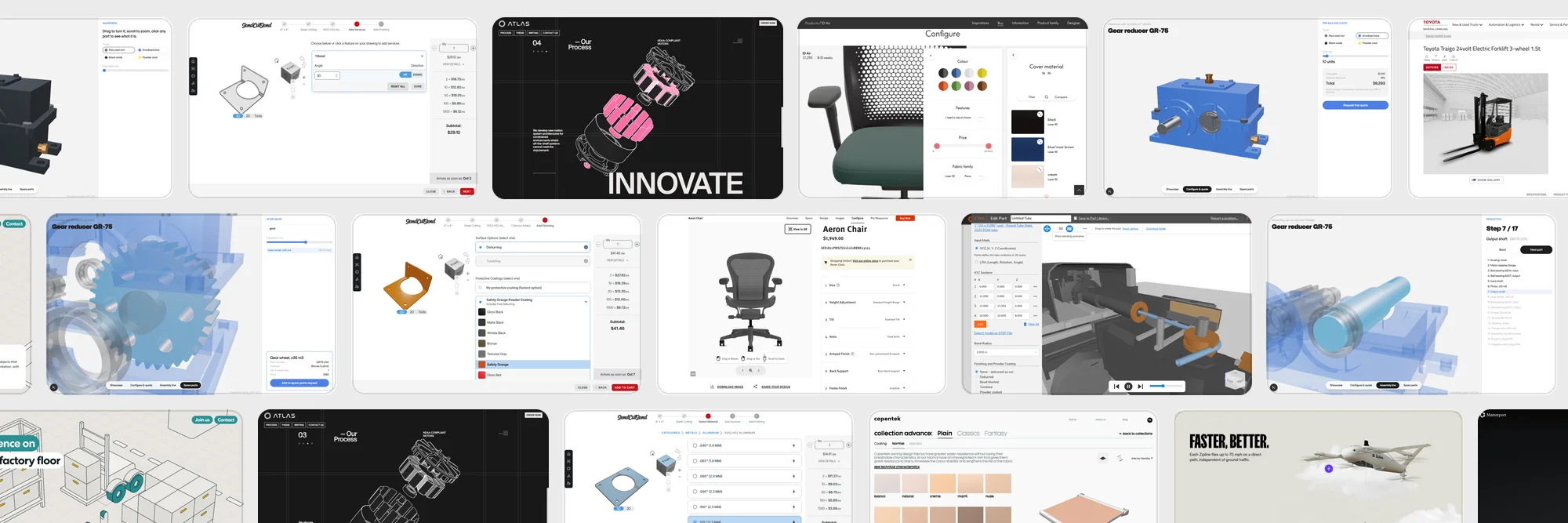
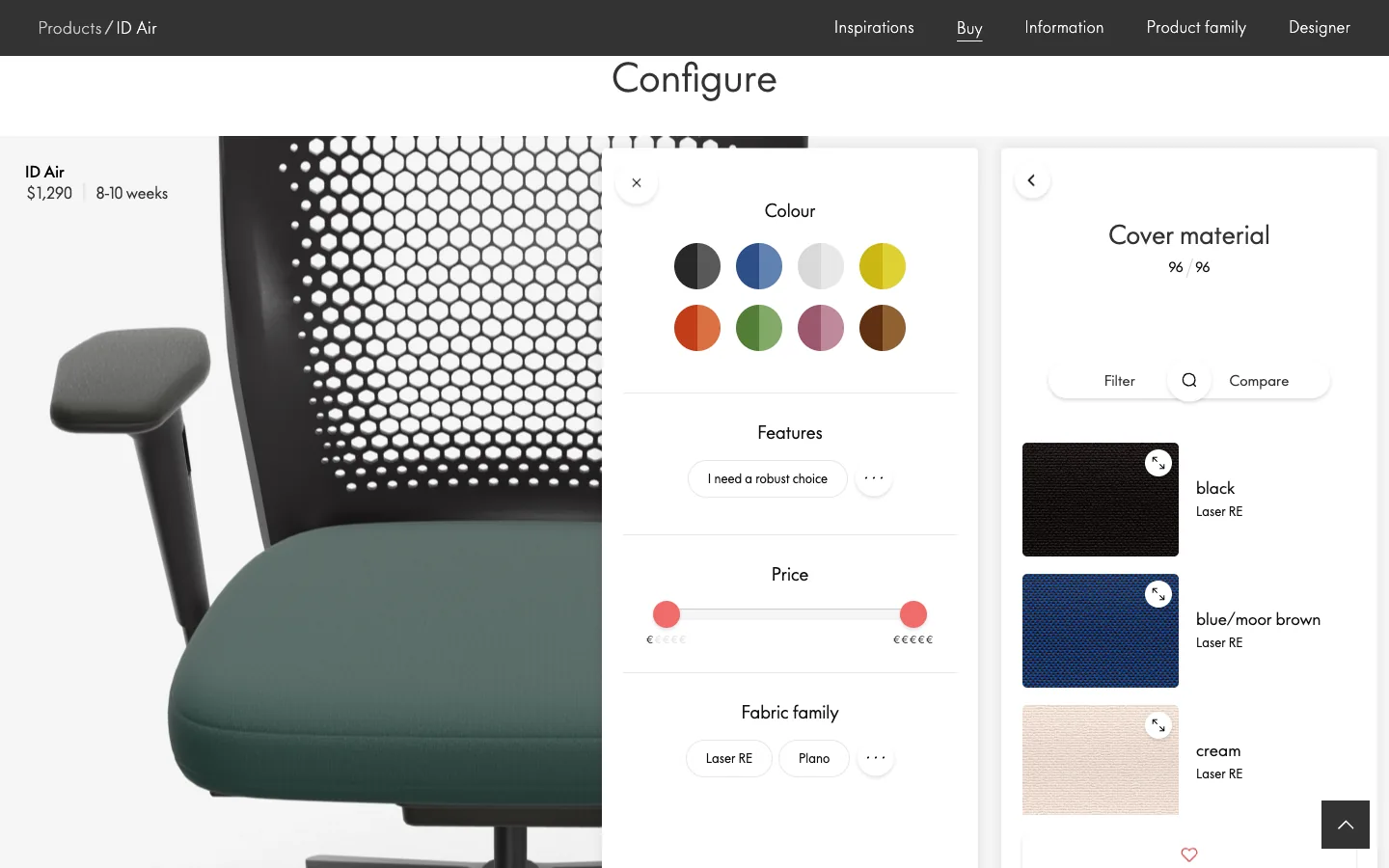
Vitra builds 3D right into the page of its ID Air chair. The model turns under your finger; choosing the cover moves the camera to the seat and opens 96 fabrics with filters; the price, $1,290, and the lead time, 8–10 weeks, update live; and "Show in room" puts the chair in your office. Caterpillar does a simpler version: a 360° tour of the 255 loader with hotspots such as "More Lift Height" and "Greater Rated Operating Capacity", and a side menu that takes you from one to the next. Each advantage is tied to a place on the product, which explains quality faster than a paragraph about precision machining.
Selection and RFQ: fewer "will it fit" emails
RFQ, request for quote, is the buyer's request for a commercial offer: specification, quantity, lead time, drawings. 67% of industrial buyers expected an answer within 24 hours in 2020, by a Paperless Parts survey of more than 400 part buyers. Every clarifying email adds days. A configurator settles the fit before the request, so the RFQ arrives with a complete specification. Three examples:
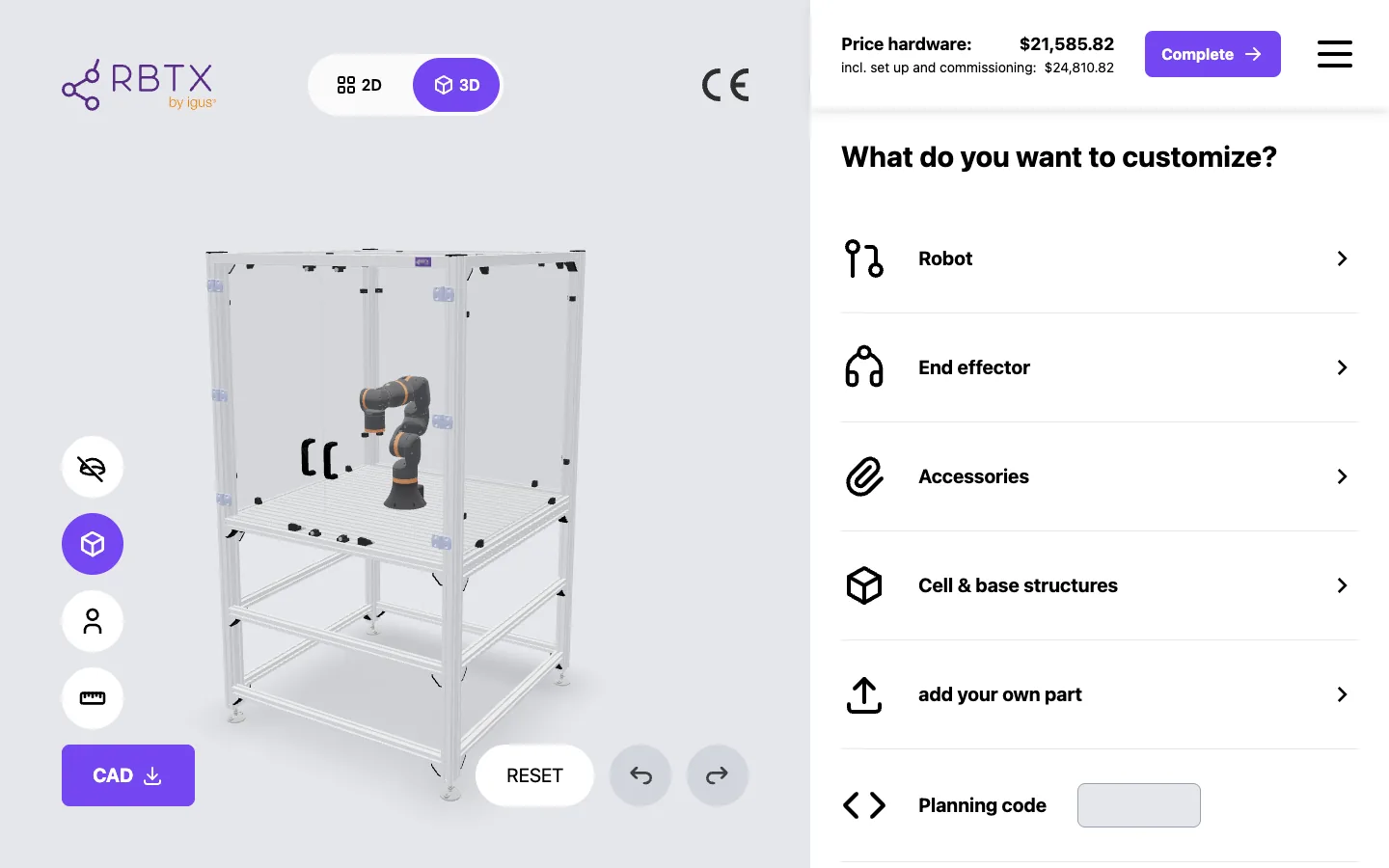
- igus RBTX. A robot-cell planner in 3D. The engineer adds a robot, a gripper, a frame, and the hardware price runs in the header the whole time: $21,585.82, or $24,810.82 with set-up and commissioning. The CAD can be downloaded.
- item Engineering Tool. A full CAD tool in the browser, in guest mode, no account. A workbench becomes a live 3D model with fields for height, depth, width and top material.
- Festo. The configurator of a pneumatic cylinder shows it in 3D with dimension lines and builds the order code from the options you pick.
The quote: a price you see before signing up
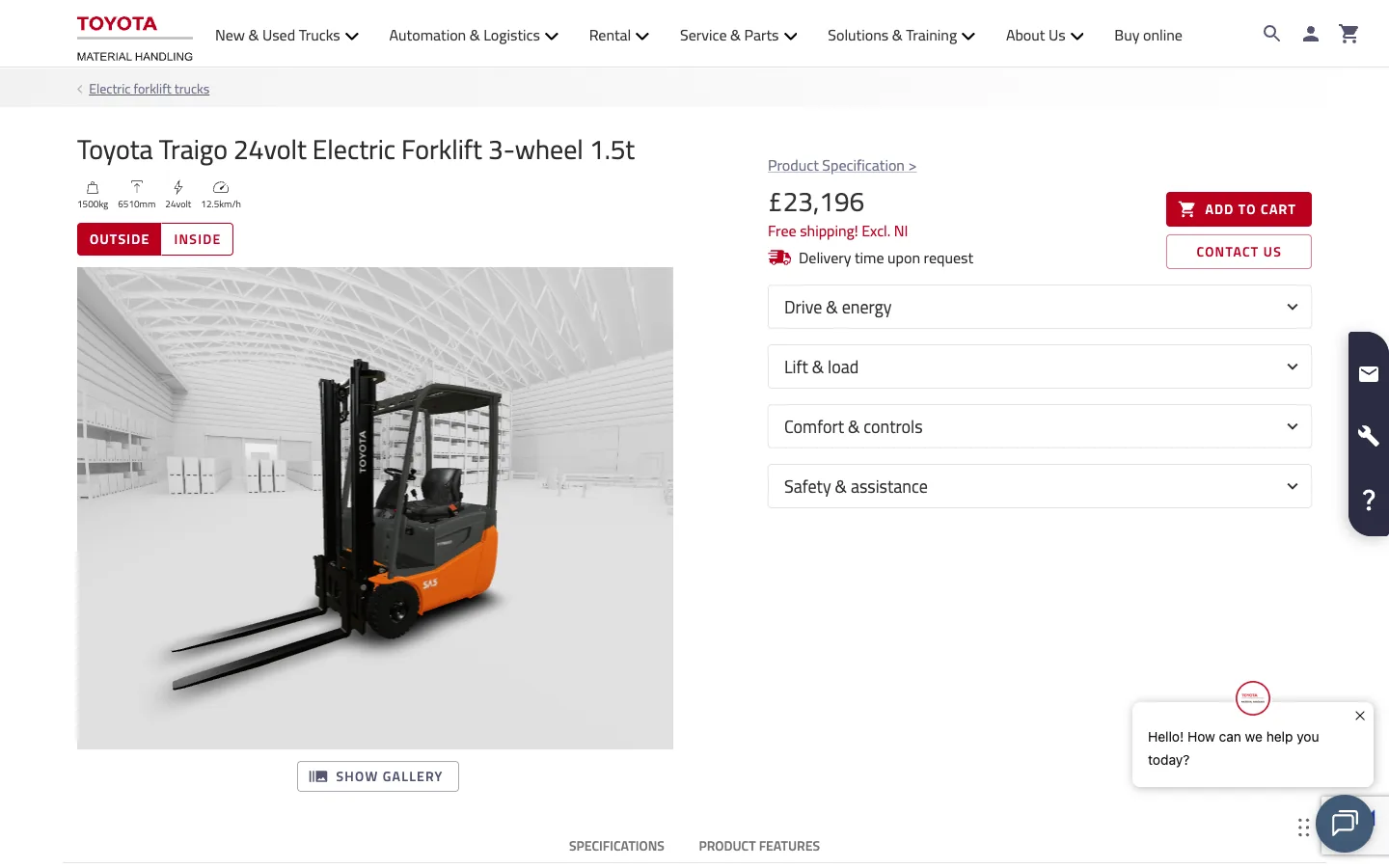
Here the strongest argument is a price the buyer sees before signing up. SendCutSend shows it at every step, walked through below. MISUMI builds the part number from your choices, a shaft becomes FPSFJAA-D10-L200, shows it in 3D and puts the price, $23.04, and the ship date next to it, without a login. Toyota in the UK sells its Traigo forklift like an online store: a 3D model in a warehouse with views from outside and from the cab, £23,196, the price of each option beside it (a lithium-ion battery adds £6,630), and Add to cart. We follow the same principle on fintech sites: money first, then the form.
Production: the same model on the assembly line
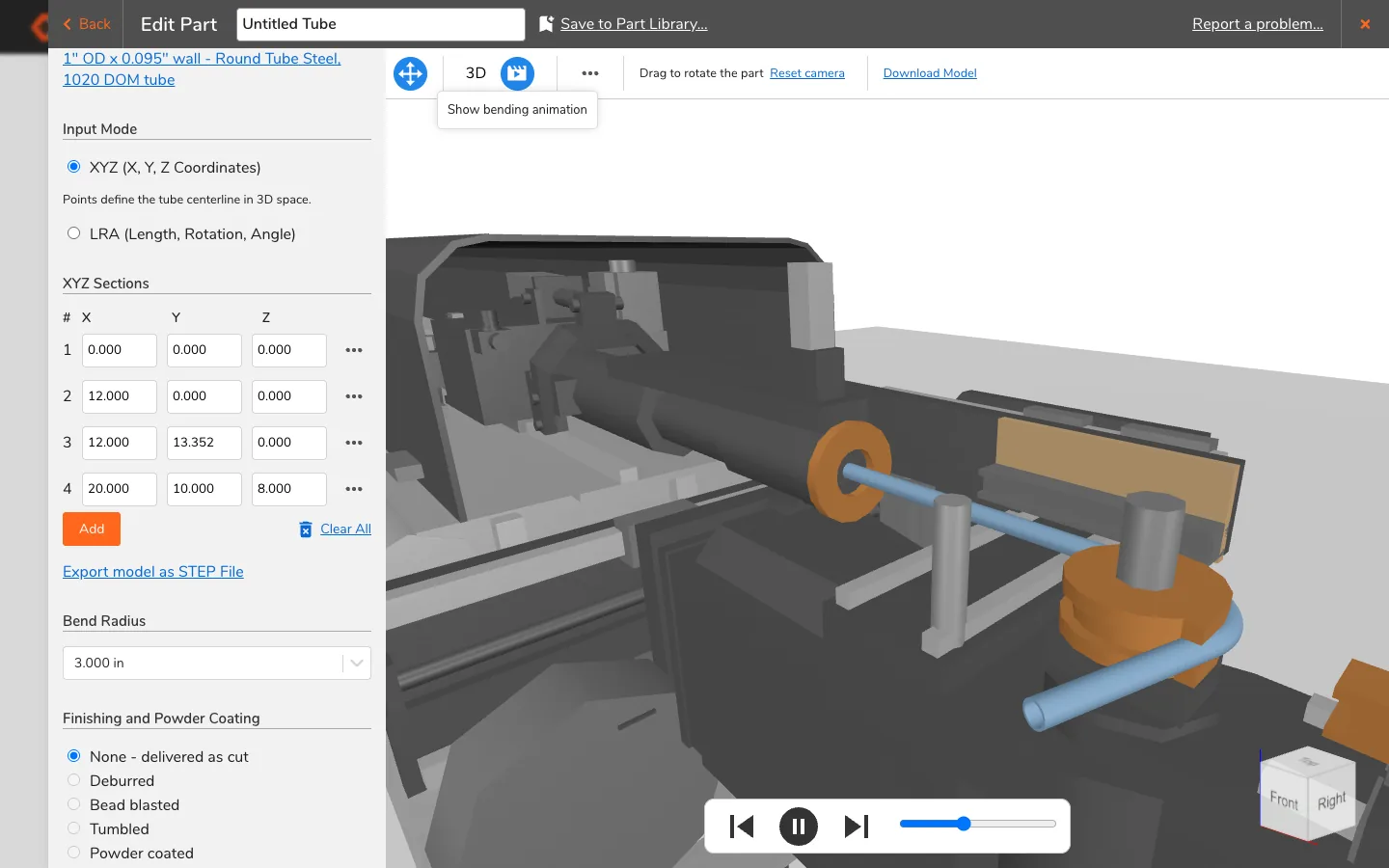
The engineer saves the model in SolidWorks, and a few minutes later it is on a tablet by the line: the assembly tree, a search by part number, colour highlighting, the order of assembly step by step. New staff learn on the model, not on a paper drawing. OSH Cut, a sheet and tube fabricator, shows the other side of this to its customers: in its bent-tube designer, built on three.js, "Show bending animation" plays a 3D bending machine making exactly your tube, next to a design check marked Passed and prices for three lead times, $107.67 standard, $272.67 expedited, $317.67 rush.
Partners and dealers: a configurator they can use too
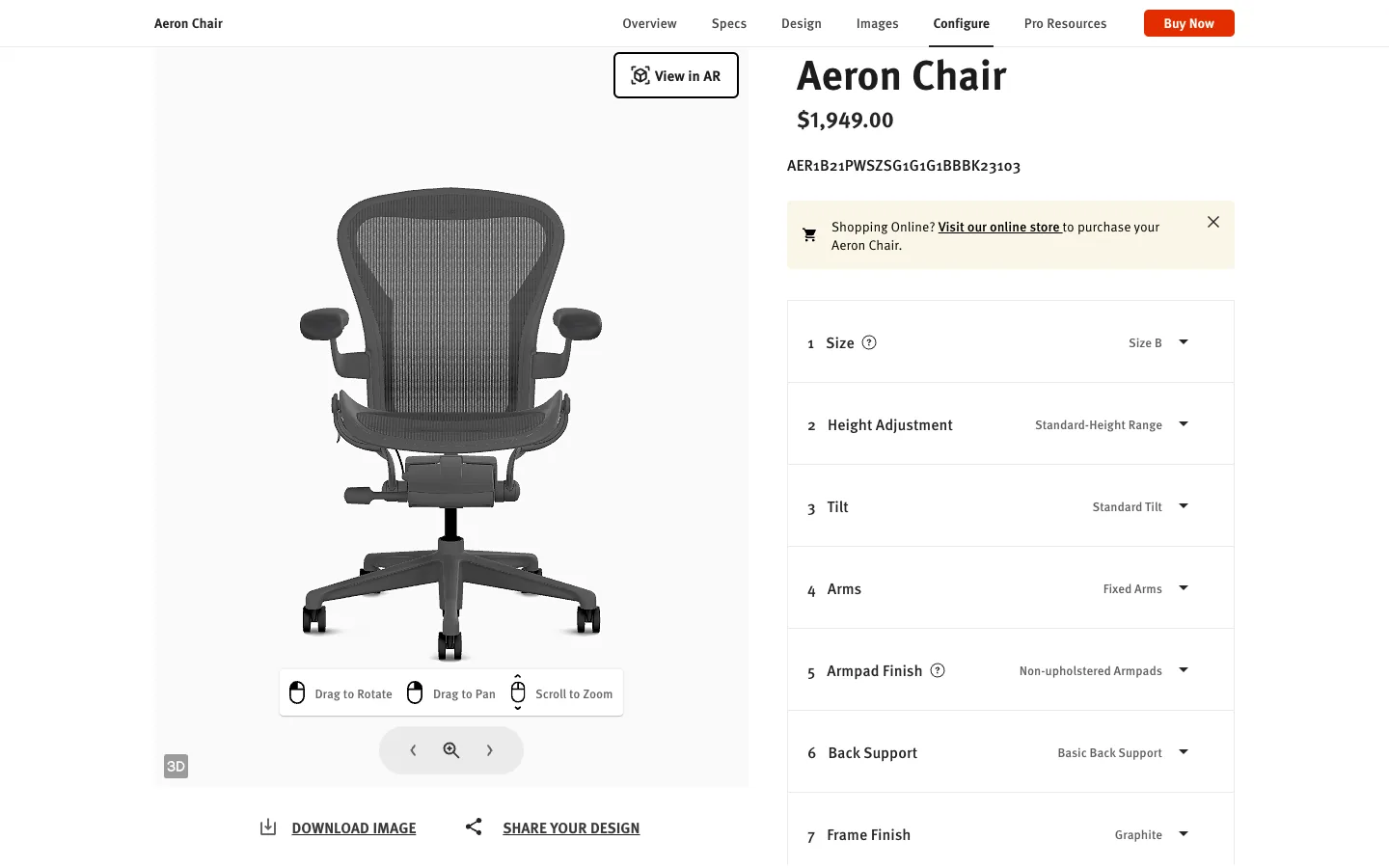
The dealer gets the same configurator for his own site or portal, and your product looks the same in every channel. Herman Miller's Aeron configurator shows the price of each option (a tilt limiter adds $100), builds the part number live from every choice and offers "Download SIF", a specification file the dealer turns straight into an order, plus "View in AR" and "Share your design". Steelcase labels its Gesture chair configurator "built to start the conversation" and then "contact your local dealer": the buyer builds the chair in 3D, sees the $2,510 list price, downloads a PDF and takes it to a dealer. USM Haller works the same way: a modular cabinet in 3D, a price that grows with each module and "I want to buy this configuration", which hands the build to a partner.
After the purchase: a spare part in one click
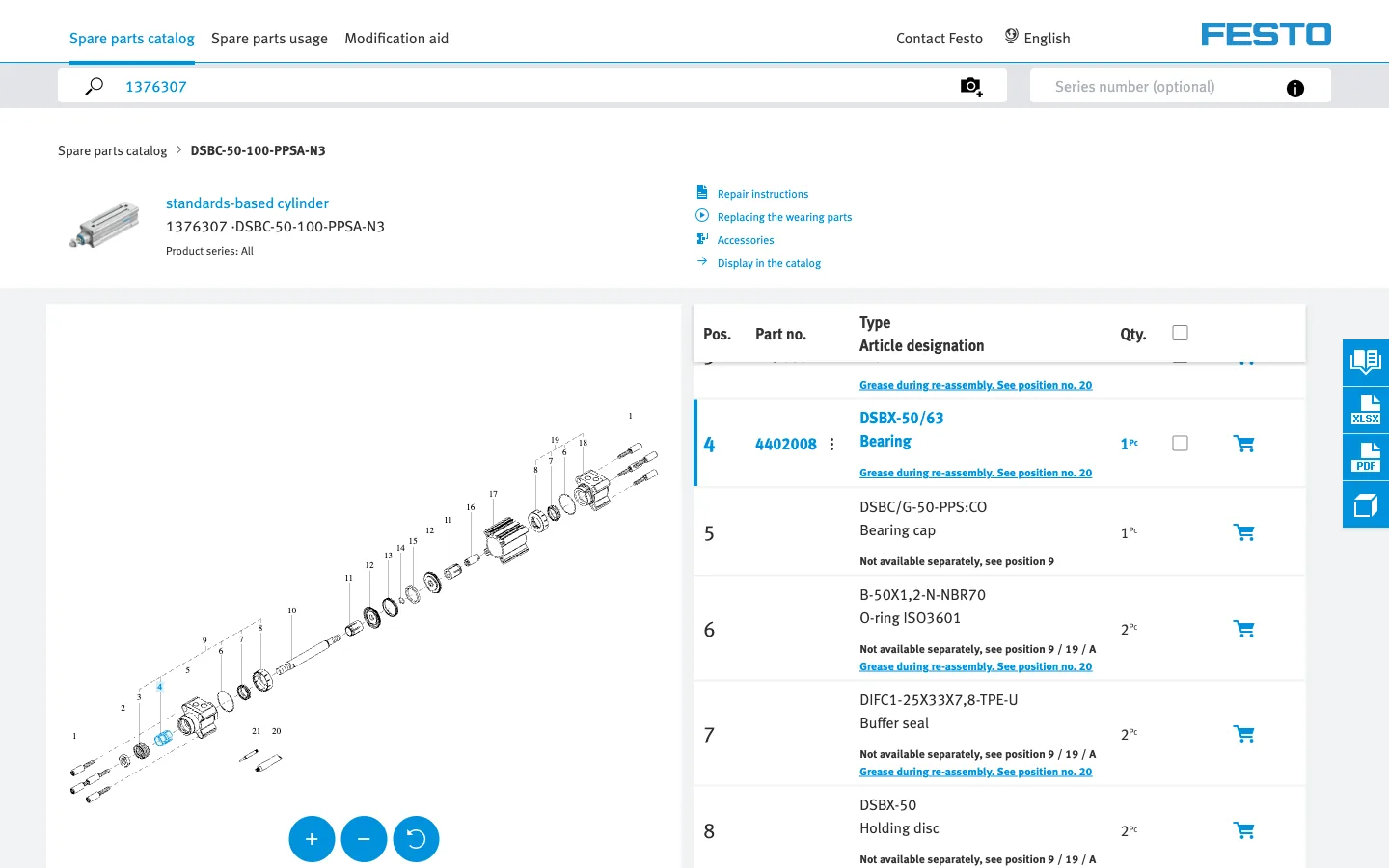
Festo's spare parts catalogue puts an exploded drawing beside the list: clicking a row highlights the part in blue, each row has a cart, repair instructions, and you can search by order code or by a photo of the type plate, all without a login. The drawing there is 2D, and a 3D model would make the same move clearer. The customer clicks a part in the model, sees its number and adds it to the order: fewer part-number mistakes, fewer service calls. And this is the most profitable part of the business. By BCG's numbers, spare parts carry about 50% gross margin, against 15–25% on the equipment itself.
Your type of production decides what goes on the site
The custom fabrication we described above is ETO in its purest form, and it is where 3D on the site pays off the most.
| Type | What it is | What goes on the site |
|---|---|---|
| MTS, make to stock | A standard catalogue, ready items | A 3D viewer on the product page |
| ATO, assemble to order | The product is assembled from ready modules | A modules configurator with a price |
| CTO, configure to order | The buyer sets parameters within limits | A configurator with dimensions, fit checks and CPQ |
| ETO, engineer to order | Each unit is designed for the customer | A drawing upload, a 3D preview, an instant or fast price |
Six levels of 3D on a manufacturer's site
You do not have to start at the top. The first level is made from the CAD models you already have, and each next level builds on the one before.
- 1. A 360° viewer. The product you can turn, zoom and take apart.
- 2. An options configurator. Sizes, materials, finishes, modules, visible on the model.
- 3. A configurator with a price, a visual CPQ. Every choice changes the model and the price together.
- 4. A CAD upload with an instant quote. The buyer's own part, priced on the spot.
- 5. AR. The product in the customer's plant through a phone camera.
- 6. A digital twin. The same model for the line and for service.
How it works at SendCutSend: from the home page to the price
SendCutSend cuts, bends and coats sheet metal to order and has passed $100 million in revenue. We walked its site from the home page to the Add to cart button, uploading nothing and signing up for nothing.
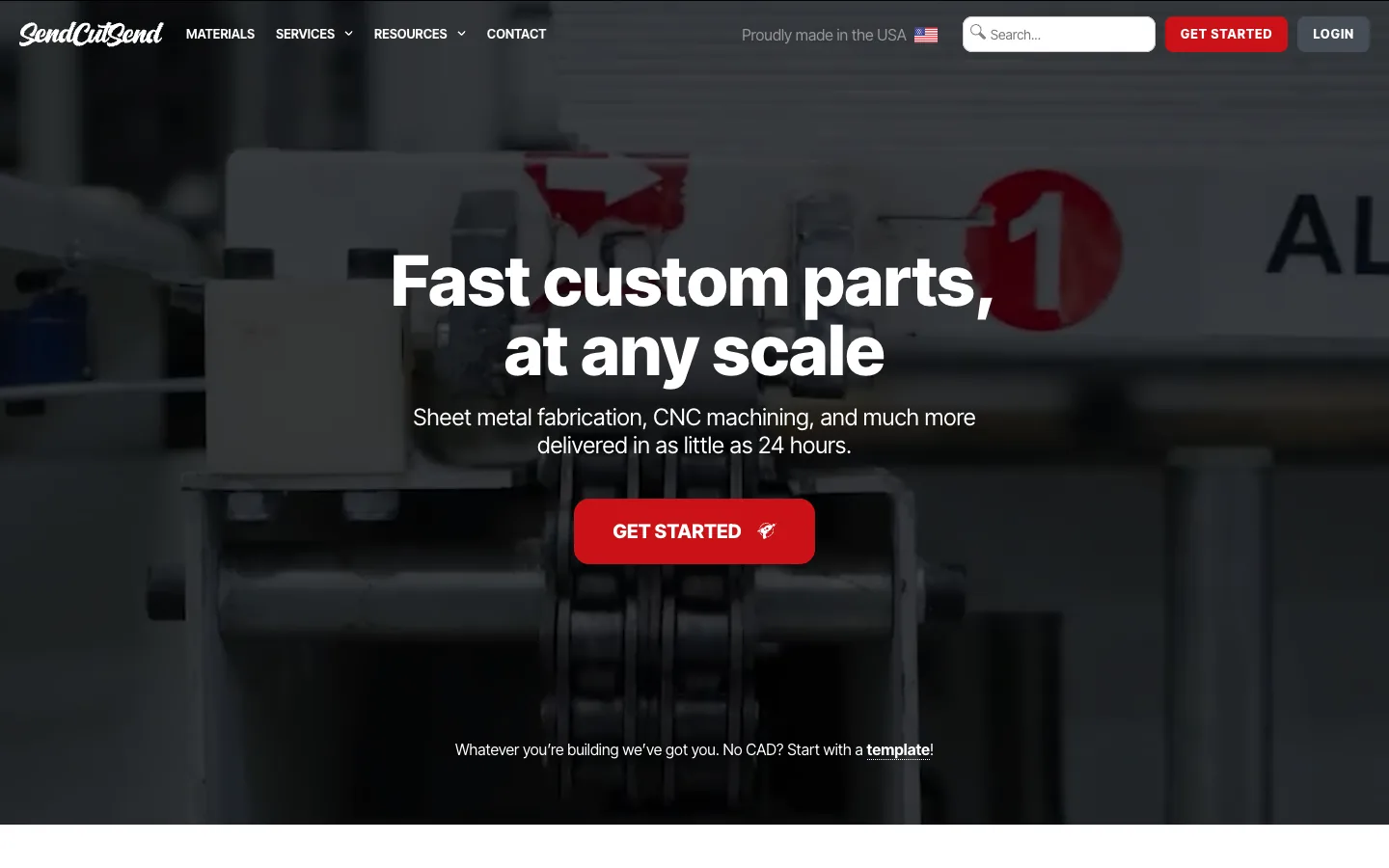
- 1. The home page. "Fast custom parts, at any scale": cutting, CNC and more, delivered in as little as 24 hours. One red Get Started button, and under it a line for people without a drawing: "No CAD? Start with a template!"
- 2. The upload. A drop zone for up to 10 files and a promise under it: you keep the rights to your design. Below, three doors for someone with no CAD: an AI Part Builder that takes words or a sketch, a template builder, and a manual quote for complex jobs.
- 3. Templates. Brackets, gears, flanges. We took a rectangular bolt flange with a centre hole.
- 4. Dimensions. Width 6", height 4", corner radius, hole diameters. The drawing redraws with every number. We add a bend line.
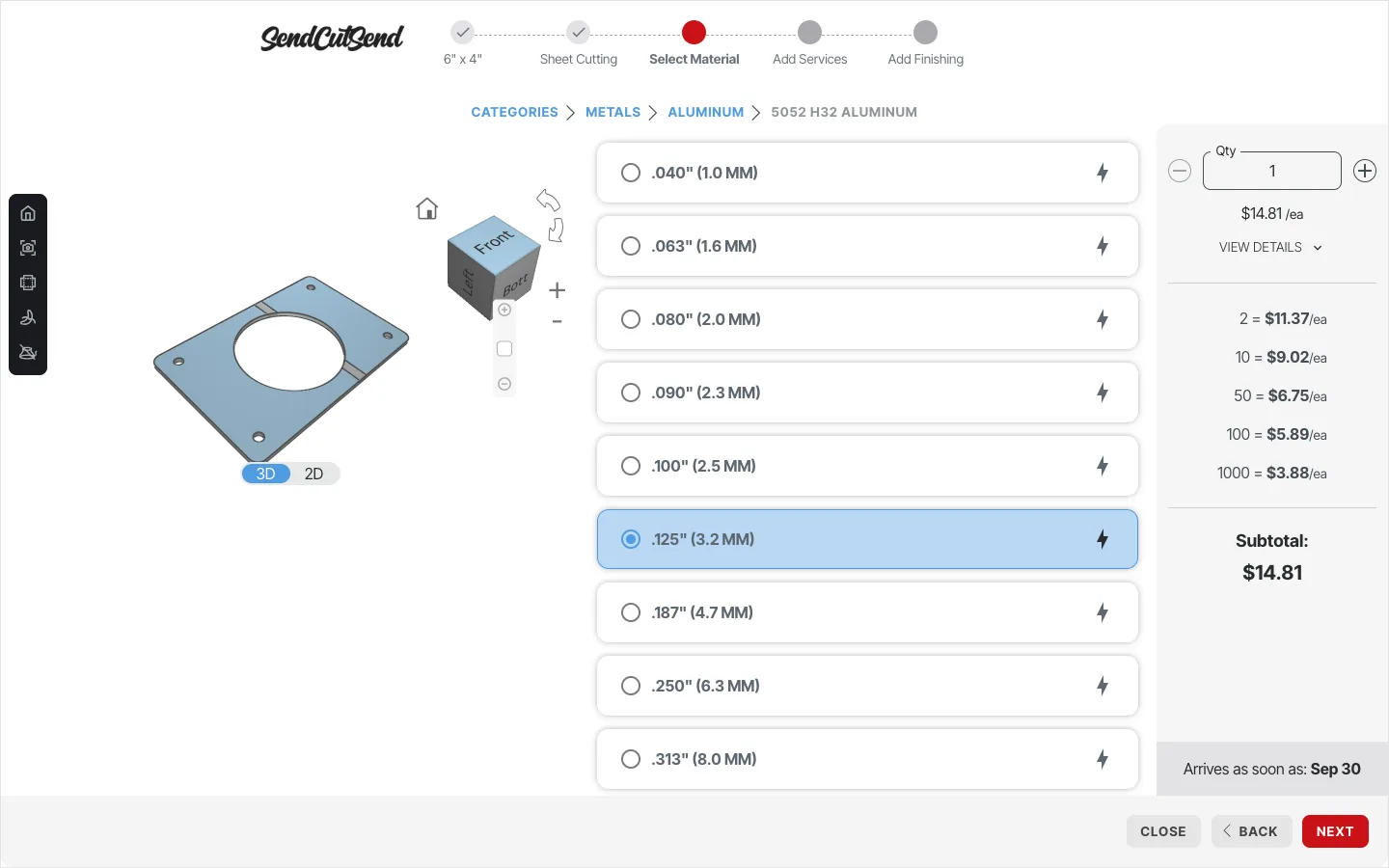
- 5. Material, and 3D appears. The part becomes a solid model with a view cube that you can turn. Metals, composites, plastics, wood, rubber. 5052 H32 aluminium is marked most popular.
- 6. Thickness and the first price. At 3.2 mm: $14.81 each, with volume breaks right away: 10 at $9.02, 100 at $5.89, 1,000 at $3.88. Under the price, the earliest delivery date.
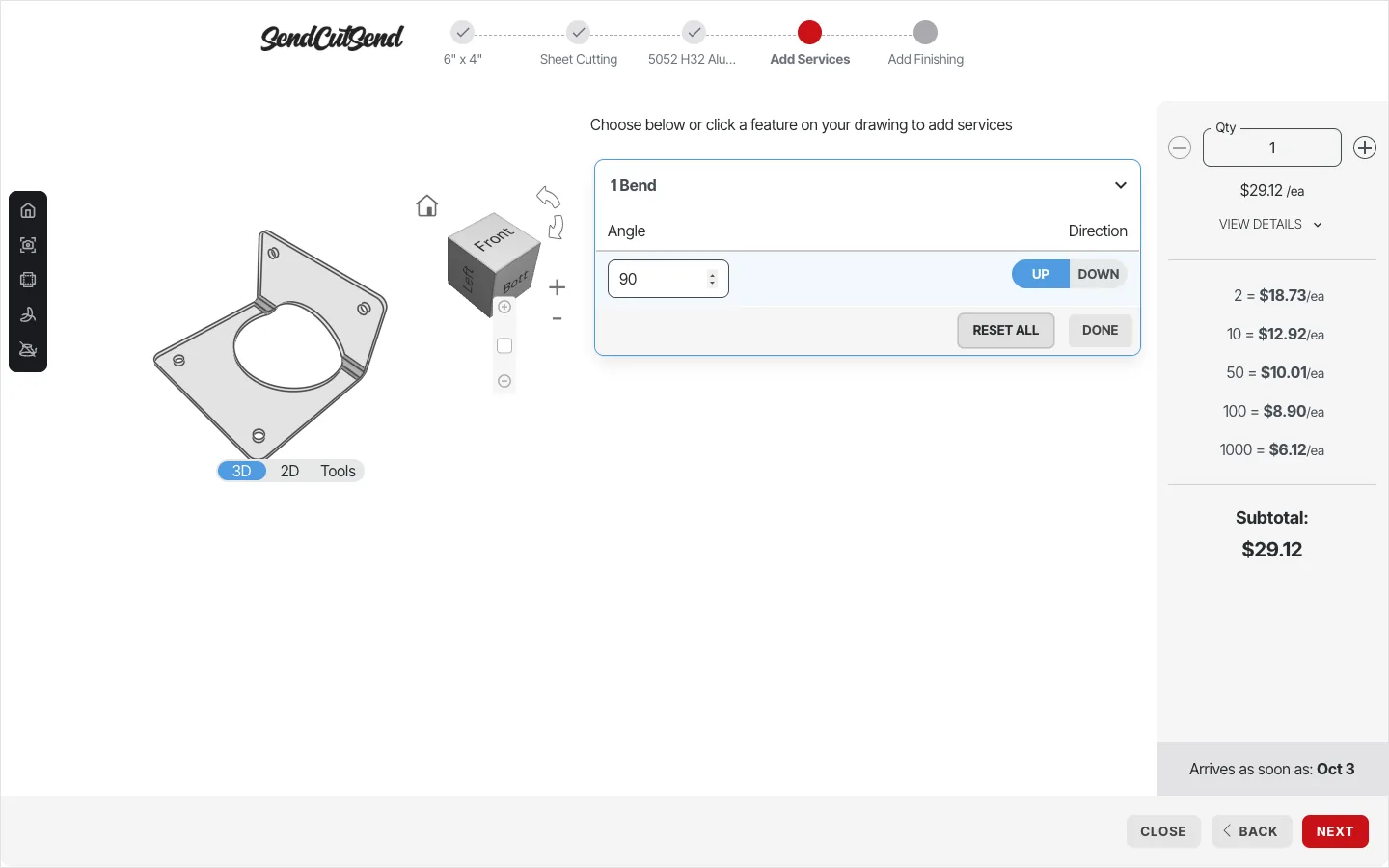
- 7. Services. Bending, countersinking, tapping, hardware insertion, welding. We choose a 90° bend, and the plate folds in 3D. The price becomes $29.12 and delivery moves three days.
- 8. Finishing. Deburring, anodising, powder coat. We choose Safety Orange, and the model turns orange: $41.46, delivery four days later again.
- 9. The cart. Only here is a login needed. By now the buyer knows what he will get, what it costs and when it arrives.
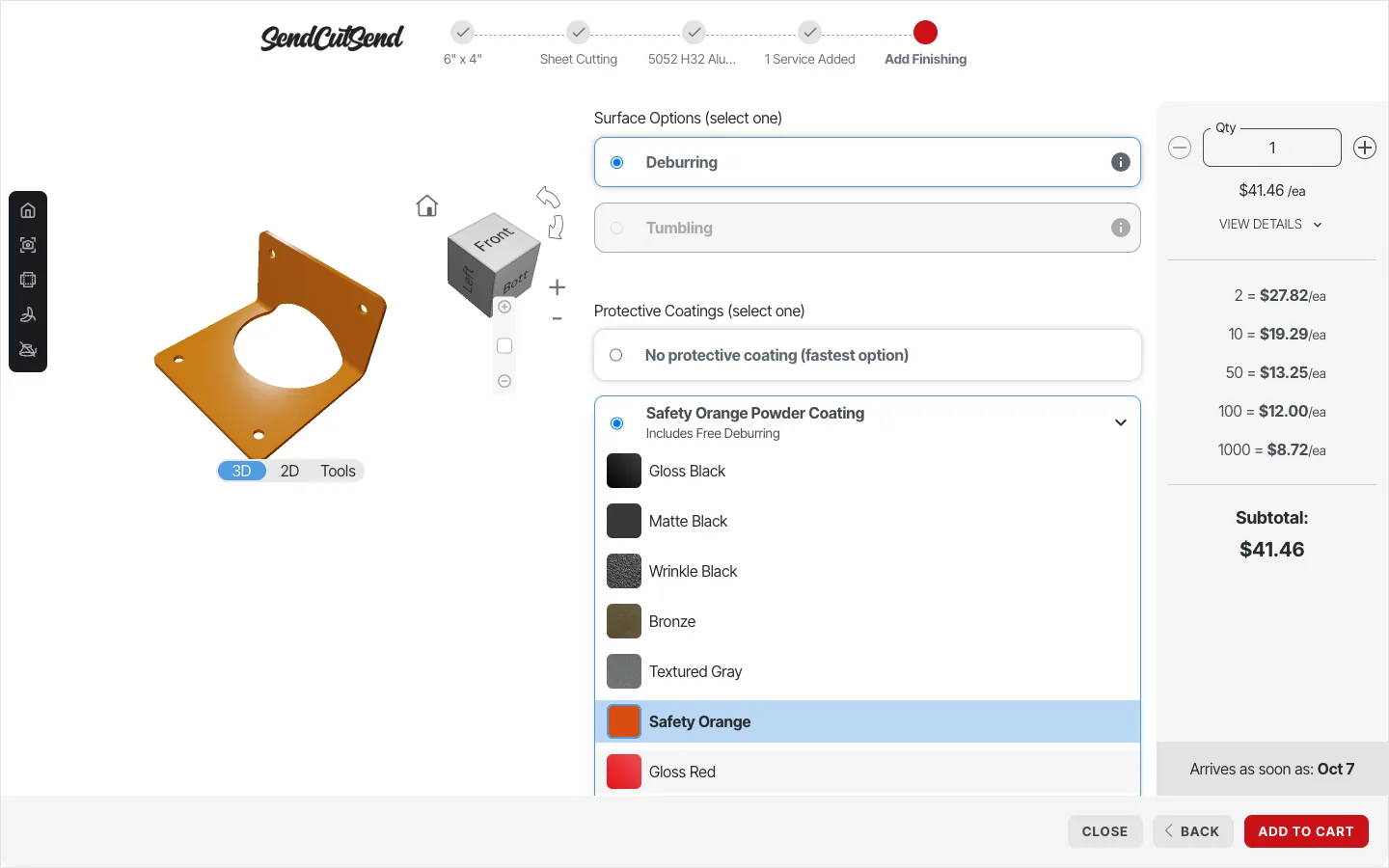
What a manufacturer can take from it:
- A way in for people without a drawing. Templates and an AI builder turn "just looking" into a first configuration.
- Every choice shows twice: on the model and in the price. The bend folds the part, the paint repaints it, and in the same second the sum and the date change.
- Volume breaks on screen. The buyer sees for himself that 100 pieces cost less each than 10, and that sells the bigger batch without a rep.
- The date next to the price. For a purchaser the lead time matters as much as the money.
- Sign-up at the end, not at the door. Protolabs and Fictiv ask for an account before any quote; SendCutSend, OSH Cut and Craftcloud show the price first.
Other ideas worth taking
- Craftcloud: samples for people without a file. "Try it out" opens ready models, so a visitor with no drawing still sees 145 materials priced by 150+ makers, "No registration required". Stage: selection.
- JLCPCB: the price on the home page. The circuit-board quote form sits in the first screen: 5 boards for $4, with no upload and no login. Stage: quote.
- JLC3DP and PCBWay: a free 3D viewer as the way in. A stand-alone online model viewer with measuring, sections and an exploded view, and from it a button to an instant quote. Stage: selection.
- Xometry: trust on the upload screen. Under the upload box it prints the patent numbers of its instant quoting engine and the 14 CAD formats it reads. Stage: quote.
- Protolabs: two doors on the home page. "Get Instant Quote" for prototypes and "Start Production Quote" for production runs split the buyers before the first click. Stage: awareness.
- Fictiv: several batches in one quote. Up to five quantities are compared in one quote. Stage: quote.
What the boldest 3D product sites do
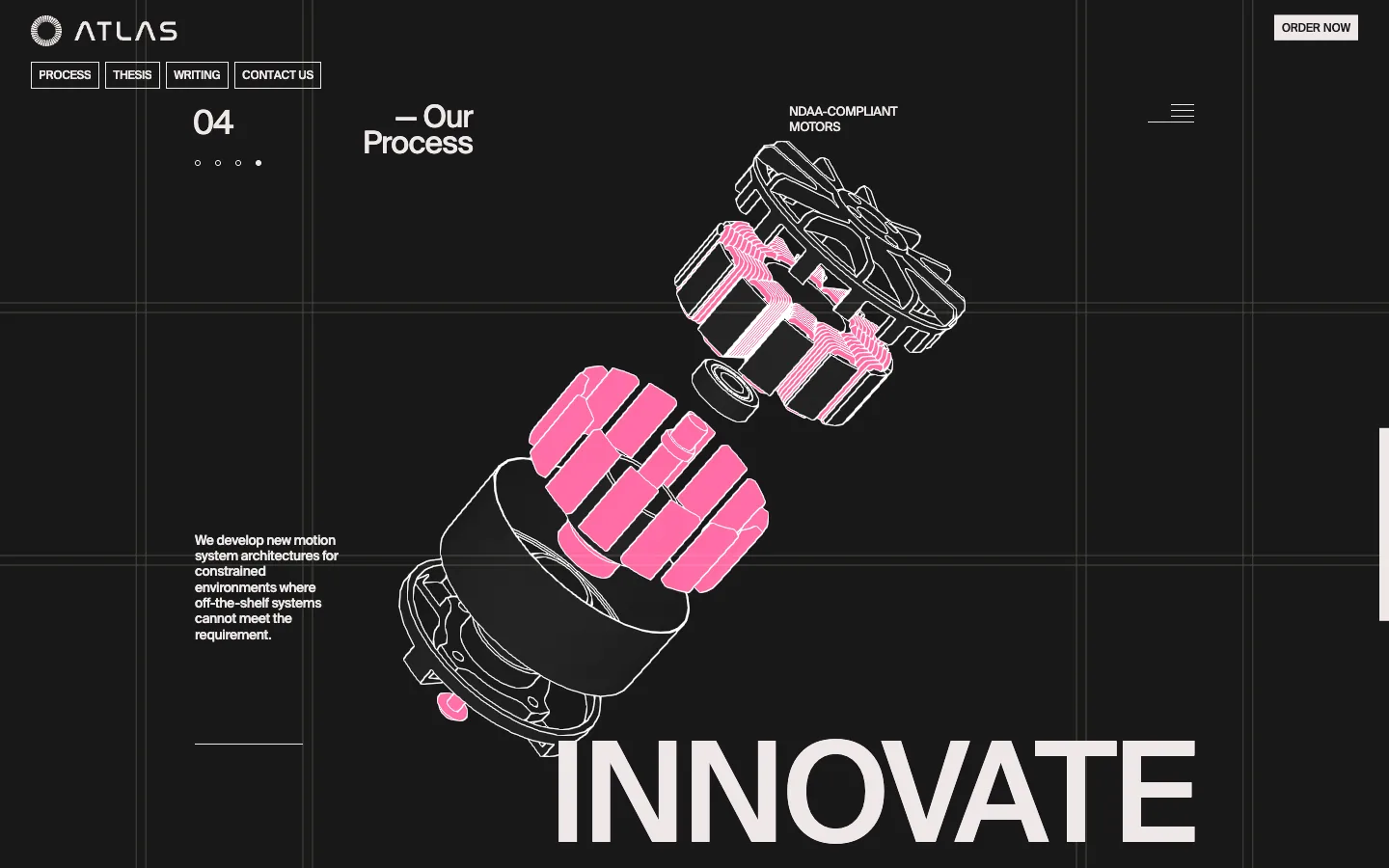
A few sites show where this is going. Atlas Motion, which makes motors and actuators for drones and robots, tells its process in four steps, integrate, evaluate, manufacture, innovate, and as you scroll its motor, drawn in white lines, comes apart into its eleven parts, with the stator magnets lighting up at the last step. The page ends with "Built to spec. Ready to scale." and an order button. The process of making the product becomes the reason to buy it.
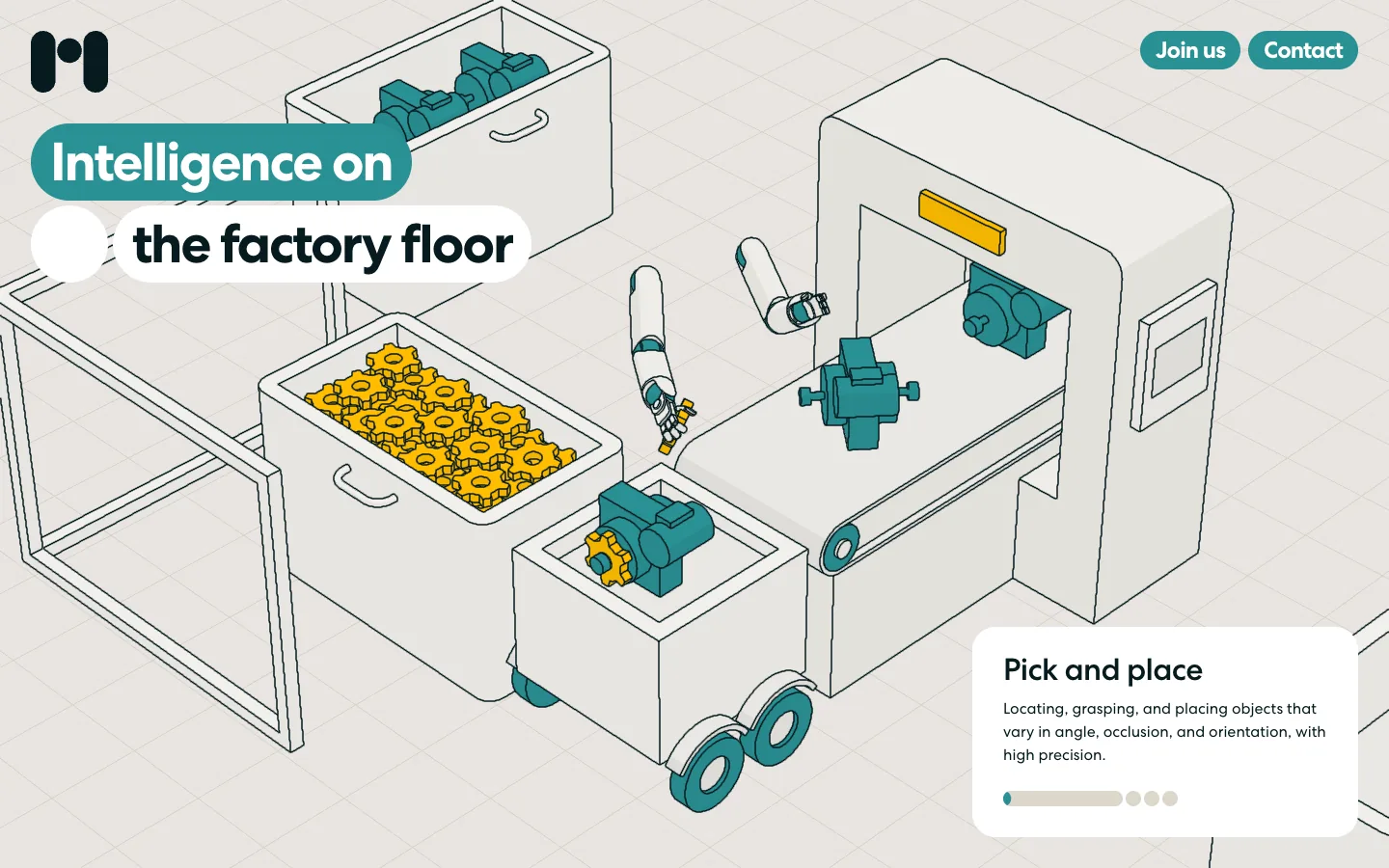
- Mind Robotics: the factory floor as a scroll. An isometric 3D cell changes its task as you scroll, from pick and place with a conveyor and gears to sorting with pallets and a forklift, each with a caption card and a progress bar. Stage: production and awareness.
- Thömus: a bike configurator with a price. The Swiss bike maker repaints the frame as you pick a colour, lets you set size and seat position, and keeps the price and a monthly option next to the model, with "Ask experts" and "Share configuration". Stage: pre-sale and quote.
- Copentek: a fabric on the product, not a swatch. The maker of technical awning fabrics puts a 3D awning next to its swatch grid; clicking a swatch reskins the awning, and each swatch carries its article code for the installer. Stage: dealers and specifiers.
- Zipline: the system explained by the model. The delivery drone flies through clouds and lowers its pod on a tether as you scroll, with hotspots on the drone and the pod. Stage: awareness.
- A digital factory in a real warehouse. A 3D scan of an empty warehouse with a virtual food-processing line placed inside: you walk through it or switch to a view of the whole floor. Stage: production planning and pre-sale of a line layout.
From SolidWorks to the site: the pipeline for your engineers
- 1. The engineer saves the model as usual. SolidWorks, Inventor, Creo, Fusion or another CAD system. Nothing changes in his work.
- 2. The model is exported to STEP. The open international standard ISO 10303 for exchanging 3D models between CAD systems; any of them opens it.
- 3. A service picks up the new file. From a folder or the PDM system, with no manual step.
- 4. STEP is converted to glTF or GLB. The open 3D format for the web from the Khronos Group, often called the JPEG of 3D; GLB is the same thing in one file. The assembly tree and part names survive, so the site can find a part by its number.
- 5. The model is compressed. In our test the 17-part reducer went from 4.5 MB to 0.7 MB and opens in seconds.
- 6. The model goes to the site, the portal and the tablets. One file, three places.
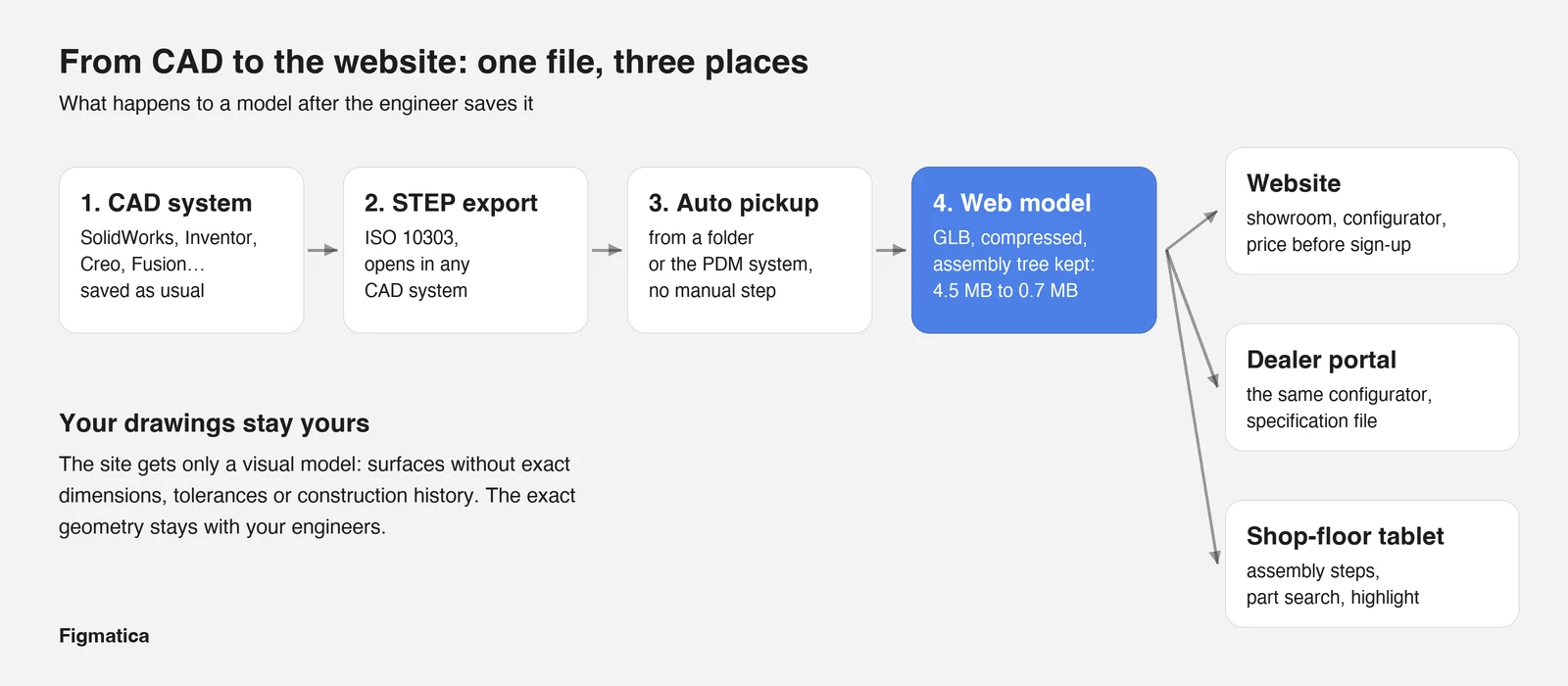
Key takeawayYour drawings stay yours. The site gets only a visual model: surfaces without exact dimensions, tolerances or construction history. The exact geometry stays with your engineers, and the model can be simplified further while keeping its look.
Where to start
- 1. Pick one product that people ask about most and that is hardest to explain in words.
- 2. Get its STEP file from your engineers.
- 3. Show the 3D model on that product's page and measure time on page, enquiries and the share of complete RFQs.
- 4. When the model works, add the options configurator and the price.
3D on a manufacturer's site: checklist
- Awareness. A model on the home page and on the key product pages, with an exploded view.
- Selection and RFQ. An options configurator, fit checks, an RFQ that arrives complete.
- Quote. A price, or a price range, before sign-up, with the lead time beside it.
- Production. The model on the line, with the assembly tree and part search.
- Partners. The configurator for the dealer portal and a specification file for orders.
- After the purchase. Clickable spare parts in the model.
- Protection. Only a visual model on the site.
We design and build sites and product interfaces with 3D and motion, and we can take a manufacturer from one STEP file to a configurator with a price. Send us one file and we will bring your product in 3D to the first call.
«The guys over-delivered and addressed our request changes promptly, resulting in a smooth engagement.»
 Artem KuzmychCOO · Clutch
«Every our client says that the main thing that makes them trust us and choose us is our website and its design. So, the result speaks for itself.»
 Iryna HurievaCo-Founder · Clutch
Websites and products we shipped
 CheckMyRate2 months from research to launch: a Webflow site for an Australian mortgage broker
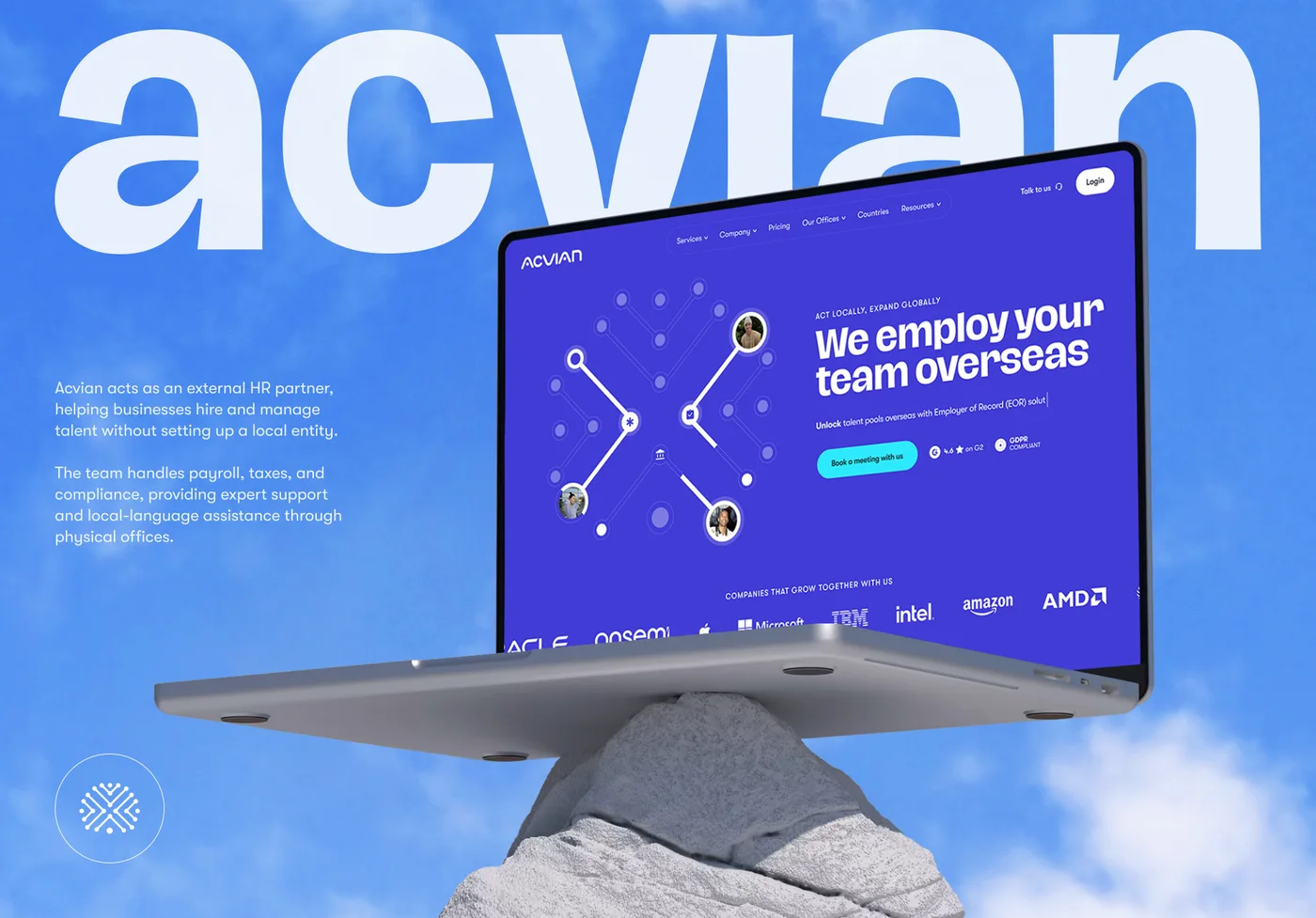 Acvian30+ pages in 60 days: a new Webflow site for a global HR partner
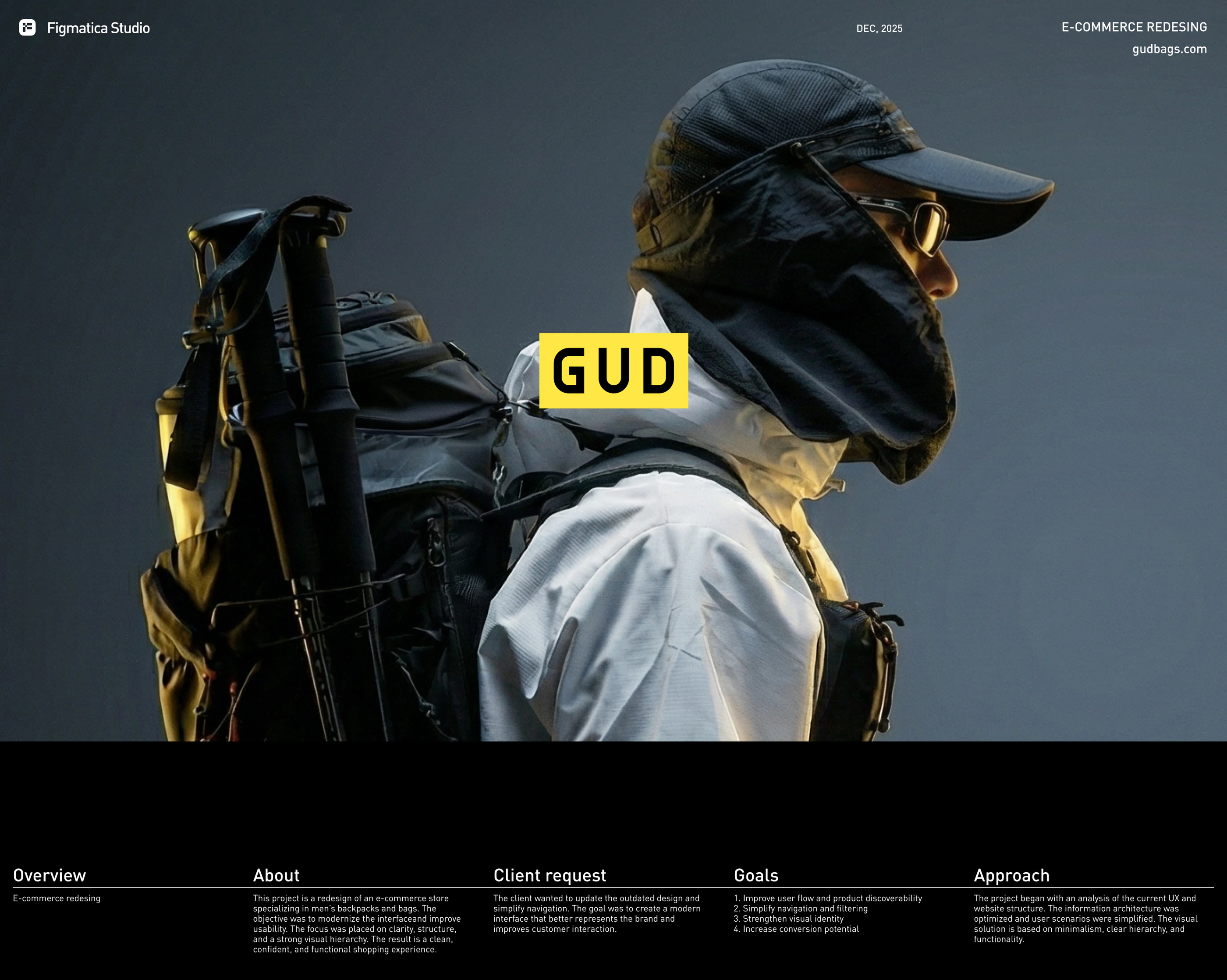 GUD5.5 weeks from research to final design: an online store redesign for a backpack brand
Want the same for your site? 30 minutes, free.
Book a free call ↗Sources
- three.js downloads, npm registry, 2026
- three.js usage statistics, Wappalyzer
- Gartner sales survey finds 67% of B2B buyers prefer a rep-free experience, Gartner, 2026
- State of Marketing to Engineers 2025, GlobalSpec, 2025
- 2025 B2B Buyer Experience Report, 6sense, 2025
- Xometry reports record second quarter 2026 results, Xometry (GlobeNewswire), 2026
- Wohlers Report 2026: additive manufacturing revenues reach $24.2 billion, TCT Magazine, 2026
- Aftermarket services drive growth for industrial manufacturers, BCG, 2025
- Industry 4.0 pushes manufacturers to digitize operations, American Machinist, 2021
- SendCutSend newsroom, SendCutSend
- CPQ software market, Research and Markets, 2024